Order Execution System - Debugging Analysis Sheet
Consultant Name: ______________________________ Assignments
Analysed As On: _______________________
|
Srl No. |
Pending Search Assignment Client |
Position (Vacancy) |
OET 1 Inquiry |
OET 2 Inquiry support |
OET 3 Proposal |
OET 4 Proposal Approval |
OET 5 Sales Order |
OET 6 Project Plan |
OET 7 Adot Details |
OET 8 Transfer of Inquiry/Proposal |
OET 9 Candidate Listing |
OET 10 Prelim. Interview Screen Sheet |
OET 11 Interview Schedule |
OET 12 Interview Re-schedule |
OET 13 Compensation Details |
OET 14 Feedback Form |
OET 15 Invoice |
OET 16 Follow-Up with client |
OET 17 Follow-Up with Candidate |
OET 18 Check List for Project Closure |
OET 19 Resume Sale |
OET 20 Fee Receipt Details |
|
1 |
||||||||||||||||||||||
|
2 |
||||||||||||||||||||||
|
3 |
||||||||||||||||||||||
|
4 |
||||||||||||||||||||||
|
5 |
||||||||||||||||||||||
|
6 |
||||||||||||||||||||||
|
7 |
||||||||||||||||||||||
|
8 |
||||||||||||||||||||||
|
9 |
||||||||||||||||||||||
|
10 |
||||||||||||||||||||||
|
11 |
||||||||||||||||||||||
|
12 |
Date on page bottom: Sept. 12, 2002
Item # 12 of Charge-Request #2 (21/2/2001)
"Good Morning Alert" Reports Annex-B
|
Consultant Name: |
[Text Box] |
|
Log-In: |
[Text Box] |
|
Password: |
[Text Box] |
Select your "Option"
- Inquiry
- Proposal
- Sales
Order
- Advt.
Details
- Candidate
Listing
- Preliminary
Screening
- Resume
Despatch
- Interview
- Compensation
Details
- Outstanding
"Good Morning Alert" Reports - Consultant Wise
Option Selected: Inquiry
|
Report Title |
Report No. |
|
No. of Inquiries remaining to be answered |
16 |
|
List of Inquiries which did not convert in Order |
17 |
|
Inquiry status |
18 |
Good Morning Alert Reports - Consultant Wise
Option Selected: Proposal
|
Report Title |
Report No. |
Good Morning Alert Reports - Consultant Wise
Option Selected: Sales Order
|
Report Title |
Report No. |
|
Pending Orders for a Consultant (chronologically) |
23 |
|
Pending Orders for a Consultant = (Client-wise) |
24 |
|
Pending Orders for a Consultant (Vacancy-name wise) |
25 |
|
Pending Orders for a Consultant (Estimated Billing
Value-Wise) |
26 |
|
Load on a Consultant |
34 |
|
Follow-up details for an Order of a given client |
47 |
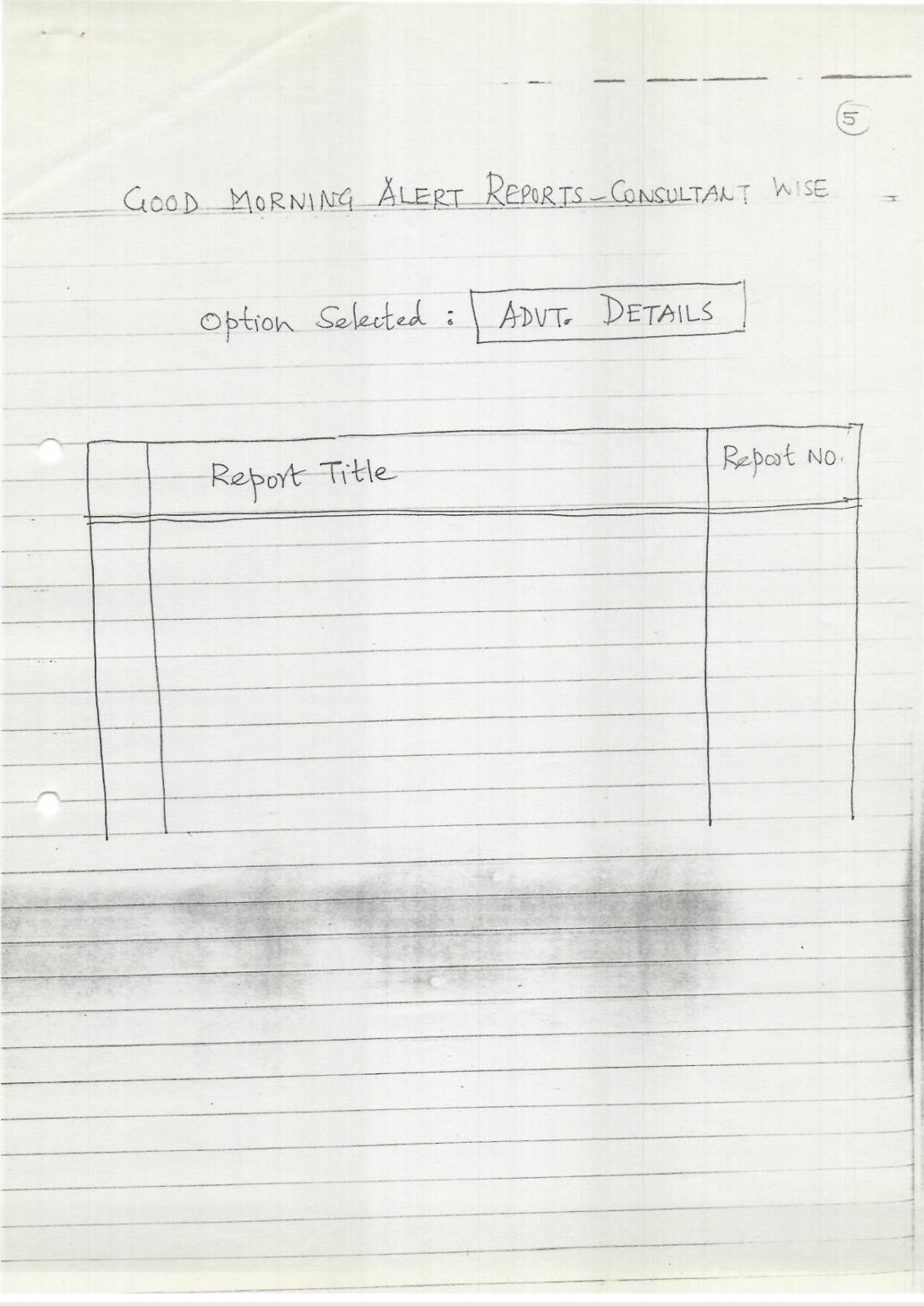
Good Morning Alert Reports - Consultant Wise
Option Selected: Advt. Details
|
Report Title |
Report No. |
Good Morning Alert Reports - Consultant Wise
Option Selected: Candidate Listing
|
Report Title |
Report No. |
|
One Line statement (for a Consultant) As per format
SRS-OL01. |
37 |
|
Details of Prospective Candidates As per format SRS-PC01 |
39 |
Good Morning Alert Reports - Consultant Wise
Option Selected: Preliminary Screening
|
Report Title |
Report No. |
Good Morning Alert Reports - Consultant Wise
Option Selected: Resume Despatch
|
Report Title |
Report No. |
|
Resumes remaining to be sent (Order-wise) |
35 |
|
Resumes Sent Out for an Order |
36 |
Good Morning Alert Reports - Consultant Wise
Option Selected: Interview
|
Report Title |
Report No. |
|
Interview-calls sent out for an Order |
43 |
|
Interview Schedules for Sales Order |
44 |
|
Interview Held Summary - Client wise |
45 |
|
Interview Held Summary |
46 |
Good Morning Alert Reports - Consultant Wise
Option Selected: Compensation Details
|
Report Title |
Report No. |
|
Details of Compensation received for an order |
50 |
|
Compensation Details remaining to be received for an order |
51 |
Good Morning Alert Reports - Consultant Wise
Option Selected: Outstandings
|
Report Title |
Report No. |
|
Outstandings = Consultant wise |
82 |
To: All Consultants
Abhi, Vinay, Sanjeev
Date Hand-written: 9/3/13 (crossed out) / 28/03/2002
OES
Module 1 Member/Non Member Data Capture Screens
Comments:
- Only
following fields are "Mandatory"
- Last
Name
- First
Name
- Current
Company Name
- Current
Actual Designation.
All the rest of the fields are "OPTIONAL".
- Barring
"Last Name" & "First Name" & "DOB"
all fields should be "EDITABLE".
However, we must clearly lay down
- "Who"
can edit
- If
more than one person can edit, should we record the name of the person
who edited & when?
- If
only one person is authorised to edit, how should info be sent to
him/her?
- Even
the FIRST-TIME ENTRY will/may be done by
- different
persons, at
- different
points of time.
- Should
any attempt be made to capture
- Who
made that "first" entry?
- When?
- from
what source?
- in
what context (i.e. for which assignment)?
So that, in case of doubt, next person
"accessing/viewing" this database, could go back and ask the person
who made the ORIGINAL entry?
- Obviously,
there are many "fields" which must not be "edited"
once (originally) entered - although new/additional data can be
"added"
- Past
Companies worked for
- Memberships
held
- Edu.
Qualifications
Page Number: 3/4
So, it is absolutely essential to define at the outset
itself
- what
fields are mandatory
- what
fields you can edit/overwrite
- what
" " cannot " "
- where
you can ADD additional data.
- what
fields must be "free text"
- "
" should /must have "dropdowns"/Radio-buttons.
- Let
not 97 (or whatever number of) fields intimidate you!
These (many) are only "provisions" and to forward
the very first sheet to a client, a consultant would only need,
- Name
of Candidate
- Name
of Current Employer
- Current
Designation
(— may be picked up from a newspaper/magazine/directory/tv
broadcast etc. etc).
Only when a client gives us feedback as to which candidates
he is interested in and who we should get in touch to findout, if he/she is
interested in our client's position and if yes, obtain resume/conduct prelim.
interview), then only,
- the
work of filling-up some more "fields" starts.
And, I presume, a Consultant would, even at this stage,
fill-in ONLY those fields, which he/she would need to CONSTRUCT
the Excel " sheet dynamically.
Abhi has promised that a consultant can construct a UNIQUE
excel sheet, by selecting
- any
no. of "fields"
- arranged
in any "Order"
97 fields could give us "millions" of
permutations/combinations of excel sheets! - practically unlimited options,
created dynamically!!
Page Number: 1/8
Module 1 Member-Non Member Data Capture Screen # Contact
Data
|
OFFICE |
|
|
Add. |
[Text Box] |
|
PIN |
[Text Box] |
|
Fax |
[Text Box] |
|
E Mail ID |
[Text Box] |
|
Phone (Board) |
[Text Box] (Mandatory is written above a box) |
|
Phone (Direct) |
[Text Box] |
|
RESIDENCE |
|
|
Add. |
[Text Box] |
|
PIN |
[Text Box] |
|
Phone (Landline) |
[Text Box] |
|
Mobile |
[Text Box] |
|
WLL |
[Text Box] |
|
E Mail |
[Text Box] |
Page Number: 2/8
Module 1 Member-Non Member Data Capture Screen # Personal
Data / 1
|
Last Name (M) |
[Text Box] |
|
First Name (M) |
[Text Box] |
|
Sex |
Male (radio button) Female (radio button) |
|
Date of Birth |
DD MM YY |
|
Age |
[Text Box] |
|
Marital status |
Bachelor (radio button) Married (radio button) Divorced
(radio button) |
|
No. of children |
One (radio button) Two (radio button) Three (radio button) |
|
Nationality |
Indian (radio button) specify ----- |
|
Educational Details |
|
|
Level (Dropdown) |
Branch |
|
[Table with multiple rows for data entry] |
|
|
Scholarships |
[Text Box] |
Page Number: 3/8
Module 1 Member-Non Member Data Capture Screen # Personal
Data / 2
Languages
|
Speak |
Read |
||
|
Hindi |
(radio button) |
Hindi |
(radio button) |
|
German |
(radio button) |
German |
(radio button) |
|
French |
(radio button) |
French |
(radio button) |
|
Type of Accomodation |
OWN (radio button) |
Rented (radio button) |
Company (radio button) |
|
Credit Card |
Own (radio button) |
Company (radio button) |
None (radio button) |
|
Car |
own (radio button) |
own + company (radio button) |
Company (radio button) |
|
PAN |
[Text Box] |
||
|
Passport |
Yes (radio button) |
No (radio button) |
|
|
Foreign Travels |
|||
|
Country Visited |
Year |
Duration |
Purpose |
|
[Table with multiple rows for data entry] |
Page Number: 4/8
Module 1 Member-Non Member Data Capture Screen #
Employment Data / 1
|
Current |
|
|
Company Name (M) |
[Text Box] |
|
Company Industry |
[Text Box with dropdown] |
|
Actual Designation (M) |
[Text Box] |
|
Designation Level |
[Text Box with dropdown] |
|
Function |
[Text Box with dropdown] |
|
Name of Boss |
[Text Box] |
|
Date of Joining |
Month [Box] Year [Box] (only year accepted is
written next to the box) |
|
Gross Annual Salary |
Rs. [Box] [Box] Lakhs. (In Year is written next to
the box) |
|
Job / Role |
[Text Box] |
|
No. of persons supervised |
[Text Box] |
|
Any Contract / Bond? |
Yes (radio button) No (radio button) |
|
Notice Period |
[Text Box] |
|
Company's Sales Turnover |
[Text Box] (In Year is written next to the box) |
|
Type of Employment |
Permanent (radio button) Temporary (radio button) |
Page Number: 5/8
Module 1 Member-Non Member Data Capture Screen #
Employment Data / 2
Past Employments
|
Employer Co. |
Duration |
Actual Designation |
|
[Table with multiple rows for data entry] |
|
Total Career Exp (yrs) |
[Text Box] |
|
Club Memberships |
[Text Box] |
|
Preferred Cities |
[Text Box] |
|
Salary Expected (Annual) |
Rs. [Box] Lakhs |
|
Reference # 1 |
[Text Box] |
|
Reference # 2 |
[Text Box] |
Overseas Work - Experience
|
Country |
Employer |
Year/Period |
Designation |
|
[Table with multiple rows for data entry] |
Page Number: 6/8
Module 1 Member-Non Member Data Capture Screen #
Achievement Data
|
Papers Published |
[Text Box] |
|
Books Authored |
[Text Box] |
|
Patents Obtained |
[Text Box] |
|
Awards Received |
[Text Box] |
Training Undergone
|
Course Title |
Duration |
Year |
Conducted By |
|
[Table with multiple rows for data entry] |
Memberships
|
NGO/Institute/Prof. Body |
Position Held |
Year |
|
[Table with multiple rows for data entry] |
Page Number: 7/8
Module 1 Member-Non Member Data Capture Screen # Keywords
|
Attitude |
[Text Box] |
|
Attribute |
[Text Box] |
|
Skills |
[Text Box] |
|
Strengths |
[Text Box] |
|
Weaknesses |
[Text Box] |
Knowledge Base
|
Management Techniques |
[Text Box] |
|
Products |
[Text Box] |
|
Processes |
[Text Box] |
|
Standards |
[Text Box] |
|
Materials |
[Text Box] |
|
Systems / Procedures |
[Text Box] |
|
Information Technology |
[Text Box] |
Page Number: 8/8
Module 1 Member-Non Member Data Capture Screen # Misc.
Assessment of
|
Reference Persons |
[Text Box] |
|
3P Consultant |
[Text Box] |
|
Clients/Past Employers |
[Text Box] |
Candidates Own
|
Mobility |
[Text Box] |
|
Constraints |
[Text Box] |
|
Expectations |
[Text Box] |
|
Conditions |
[Text Box] |
|
Goals / Objectives |
[Text Box] |
|
Remarks/Comments |
[Text Box] |
|
UDF 1 |
[Text Box] |
|
UDF 2 |
[Text Box] |
|
UDF 3 |
[Text Box] |
|
UDF 4. |
[Text Box] |
Change Request Form No: 1
(Applitech's Quotation dt. Feb. 21, 2001)
|
Item # |
47 |
Priority |
H |
|
Menu Entry By Client. |
List of "Client"-focussed Reports
|
Report Title |
Report No. |
|
Shopping Basket (Client wise) |
7 |
|
Proposal (Ref: SRS PR 02) |
19 |
|
Sales Order ( ) |
20 |
|
Project Plan for a Sales order |
21 |
|
Project Variance for a Sales order |
22 |
|
Pending Orders for a Client |
|
|
- chronologically |
27 |
|
- Consultant wise |
28 |
|
- Vacancy Name wise |
29 |
|
- Esti. Billing Value wise |
30 |
|
One-Line statement for a Client (SRS OL 01) |
38 |
|
Advt. Details for a Client (given period) |
40 |
|
Advt. Response for a Client ("") |
41 |
|
Follow-up details for an order of a given client |
47 |
|
Client-wise expected date of joining |
49 |
|
Invoice Summary - client wise |
54 |
|
Out of Pocket Expense Invoice - client wise |
59 |
|
Client List on Order Value (for a given kind) |
61 |
|
Janam Kundli - Client |
65 |
|
(It will be a Super menu thru (which) all related
report(s) will be triggered) - what does this mean? |
|
|
Executive Placed Summary - client wise |
70 |
|
Outstanding - Client wise |
81 |
|
Report Title |
Report No. |
|
Resumes remaining to be Sent (orderwise) |
35 |
|
Resumes already Sent ("") |
36 |
|
~~One Line Statement~~ |
|
|
List of Prospective Candidates ("") |
39 |
|
Interview calls sent-out (orderwise) |
43 |
|
Interview Schedule ("") |
44 |
|
Interviews Held ("") |
45 |
|
Interview Held Summary ("") |
46 |
|
Compensation Details to be recd. (orderwise) |
51 |
|
OOP Invoice - Total |
60 |
Change-Request Form No: 1
(Applitech's Quotation dt. Feb. 21, 2001)
Item # 47 // Menu entry by Client // Priority H
Screen No: 1
|
Consultant Name: |
[Text Box] |
|
Log In |
[Text Box] |
|
Password |
[Text Box] |
Screen No: 2
Select "CLIENT-NAME"
|
A - B - C - D |
|
|
Client Name (arranged alphabetically) (Dropdown) |
|
|
ABC |
----- |
|
Accord |
----- |
|
Adlab |
----- |
Screen No: 3
Client Selected: Accord - - - - -
- 1.0
Historical Reports [Checkbox]
- 2.0
Operational Reports [Checkbox]
Screen No: 4
Historical Reports
- 1.01
Advertisements [Checkbox]
- 1.02
Executives Placed [Checkbox]
- 1.03
Inquiries [Checkbox]
- 1.04
Invoices [Checkbox]
- 1.05
Orders Executed [Checkbox]
- 1.06
Order Value [Checkbox]
- 1.07
Shopping Basket [Checkbox]
|
1.01 Advertisement |
Report No. |
|
|
Client wise Details |
40 |
|
|
Client wise Response |
41 |
|
|
Media wise Response |
42 |
|
1.02 Executives Placed (for a given period) |
Summary Complete List. |
Report No. |
|
Executive Placed Summary |
73 |
|
|
- Industry wise |
67 |
|
|
- Function wise |
68 |
|
|
- Vacancy wise |
69 |
|
|
- Client wise |
70 |
|
|
- Joining Date wise |
71 |
|
|
- Annual Compensation wise |
72 |
|
1.03 Inquiries |
Report No. |
|
|
Inquiry status Consultant wise |
18 |
|
|
List of Inquiries which did not convert into an order
(Consultant wise) |
17 |
|
|
List of Inquiries for a given period |
||
|
- Normal |
09 |
|
|
- Consultant wise |
10 |
|
|
- Industry wise |
11 |
|
|
- Function wise |
12 |
|
|
- Position wise |
13 |
|
|
- City wise |
14 |
|
|
- Country wise |
15 |
|
|
- No. of Inquiries remaining to be answered |
16 |
|
1.04 Invoices |
Invoice (for final Payment) |
Report No. |
|
Summary for given Period - |
56 |
|
|
- Client / Month wise |
54 |
|
|
- Consultant / Month wise |
55 |
|
|
- Month wise |
56 |
|
|
- Client wise (Date wise) |
57 |
|
|
- Consultant wise |
58 |
|
1.05 Orders Executed |
Analysis of order Executed Summary (Total) for a given
period |
Report No. |
|
Analysis of Order Executed Summary |
80 |
|
|
- Industry wise |
74 |
|
|
- Function wise |
75 |
|
|
- Designation - Level wise |
76 |
|
|
Analysis of Order Executed Summary - Details |
||
|
- Industry wise |
77 |
|
|
- Function wise |
78 |
|
|
- Designation - Level wise |
79 |
|
1.06 Order Value |
Client list on Order values for a given period |
Report No. |
|
- Normal |
61 |
|
|
- Function wise |
62 |
|
|
- Industry wise |
63 |
|
|
- Vacancy wise |
64 |
|
1.07 Shopping Basket |
Shopping Basket for a given period |
Report No. |
|
- Normal |
3 |
|
|
- Monthly |
1 |
|
|
- URL wise |
2 |
|
|
- Designation - Level wise |
4 |
|
|
- Function wise |
5 |
|
|
- Industry wise |
6 |
|
|
- Client wise |
7 |
|
|
- Consultant wise |
8 |
Operational Reports
|
2.01 |
Follow-up / Candidates |
[Checkbox] |
|
2.02 |
Follow-up / General |
[Checkbox] |
|
2.03 |
Follow-up / Interviews |
[Checkbox] |
|
2.04 |
Inquiries |
[Checkbox] |
|
2.05 |
Project |
[Checkbox] |
|
2.06 |
Pending Orders |
[Checkbox] |
|
2.07 |
Resumes |
[Checkbox] |
|
2.08 |
Outstandings |
[Checkbox] |
|
2.01 Follow-up / Candidates |
Report No. |
|
|
Resumes remaining to be sent (Order wise) |
35 |
|
|
Resumes sent out for an Order |
36 |
|
|
Details of Prospective Candidate |
39 |
|
|
Janam-Kundli for Candidate |
66 |
|
2.02 Follow-up / General |
Report No. |
|
|
Follow-up details for an order of a given client |
47 |
|
|
Follow-up with Candidate (for a given period) |
48 |
|
|
Client wise expected date of Joining |
49 |
|
|
Details of Compensation Received for an Order |
50 |
|
|
Compensation details remaining to be received for an Order |
51 |
|
2.03 Follow-up / Interview |
Report No. |
|
|
Interview Call sent out for an Order |
43 |
|
|
Interview Schedule for Sales Order |
44 |
|
|
Interview Held Summary Client wise |
45 |
|
|
"" (Normal) |
46 |
|
2.04 Inquiries |
Report No. |
|
|
No. of Inquiries remaining to be answered (Consultant
wise) |
16 |
|
|
List of Inquiries which did not convert into an Order
(Consultant wise) |
17 |
|
|
Inquiry Status (Consultant wise) |
18 |
|
2.05 Project |
Report No. |
|
|
Proposal |
19 |
|
|
Sales Order |
20 |
|
|
Project Plan for Sales Order |
21 |
|
|
Project Variance for Sales Order |
22 |
|
2.06 Pending Orders |
Report No. |
|
|
For a Consultant - |
||
|
- Chronologically |
23 |
|
|
- Client-Wise |
24 |
|
|
- Position-Wise |
25 |
|
|
- Estimated Billing Value-Wise |
26 |
|
|
Load on Consultant |
34 |
|
|
For a Client - |
||
|
- Chronologically |
27 |
|
|
- Consultant-wise |
28 |
|
Report No. |
||
|
- Position - Wise |
29 |
|
|
- Estimated Billing Value - wise |
30 |
|
|
Pending Status for a given period |
||
|
- Industry - wise |
31 |
|
|
- Function - wise |
32 |
|
|
- Position - wise |
33 |
|
2.07 Resumes |
Report No. |
|
|
Resumes Remaining to be sent (Order wise) |
35 |
|
|
Resumes sent out for an Order |
36 |
|
|
One line statement for (Consultant) |
37 |
|
|
One line statement for Client |
38 |
|
|
Details of Prospective client |
39 |
|
2.08 Outstandings |
Report No. |
|
|
Outstanding client wise |
81 |
|
|
Outstanding Consultants wise |
82 |
Item # 12 of Charge-Request #2 (21/2/2001)
"Good Morning Alert" Reports
|
Consultant Name: |
[Text Box] |
|
Log-In: |
[Text Box] |
|
Password: |
[Text Box] |
Select your "Option"
- Inquiry
- Proposal
- Sales
Order
- Advt.
Details
- Candidate
Listing
- Preliminary
Screening
- Resume
Despatch
- Interview
- Compensation
Details
- Outstanding
"Good Morning" Alert Reports - Consultant Wise
Option Selected: Inquiry
|
Report Title |
Report No. |
|
No. of Inquiries remaining to be answered |
16 |
|
List of Inquiries which did not convert in Order |
17 |
|
Inquiry status |
18 |
Good Morning Alert Reports - Consultant Wise
Option Selected: Proposal
|
Report Title |
Report No. |
Good Morning Alert Reports - Consultant Wise
Option Selected: Sales Order
|
Report Title |
Report No. |
|
Pending Orders for a Consultant (chronologically) |
23 |
|
Pending Orders for a Consultant = (Client wise) |
24 |
|
Pending Orders for a Consultant (Vacancy-name wise) |
25 |
|
Pending Orders for a Consultant (Estimated Billing
Value-Wise) |
26 |
|
Load on a Consultant |
34 |
|
Follow-up details for an Order of a given client |
47 |
Good Morning Alert Reports - Consultant Wise
Option Selected: Advt. Details
|
Report Title |
Report No. |
Good Morning Alert Reports - Consultant Wise
Option Selected: Candidate Listing
|
Report Title |
Report No. |
|
One Line Statement (for a Consultant) As per format SRS OL
01. |
37 |
|
Details of Prospective Candidates As per format SRS PC 01 |
39 |
Page Number: 7
Good Morning Alert Reports - Consultant Wise
Option Selected: Preliminary Screening
|
Report Title |
Report No. |
Page Number: 8
Good Morning Alert Reports - Consultant Wise
Option Selected: Resume Despatch
|
Report Title |
Report No. |
|
Resumes remaining to be sent (Order-wise) |
35 |
|
? Resumes Sent Out for an Order |
36 |
Page Number: 9
Good Morning Alert Reports - Consultant Wise
Option Selected: Interview
|
Report Title |
Report No. |
|
? Interview-calls sent out for an Order |
43 |
|
Interview Schedules for Sales Order |
44 |
|
? Interview Held Summary - Client wise |
45 |
|
? Interview Held Summary |
46 |
Page Number: 10
Good Morning Alert Reports - Consultant Wise
Option Selected: Compensation Details
|
Report Title |
Report No. |
|
? Details of Compensation received for an Order |
50 |
|
Compensation Details remaining to be received for an order |
51 |
Page Number: 11
Good Morning Alert Reports - Consultant Wise
Option Selected: Outstandings
|
Report Title |
Report No. |
|
Outstandings = Consultant wise |
82 |
Page Number: 1/5
Sri Ram
Raju
18-05-03
Incentivizing adoption & Usage of OES by Consultants.
While discussing strict compliance in usage of OES by
consultants, 2 days back, you mentioned whether we could consider some
incentive / carrot, which would motivate the consultants to use OES
religiously.
If OES succeeds in increasing the productivity of a
consultant, allowing her to finish assignments faster, finish more no. of
assignments in a year, far exceed her 8 times target and thereby earn greater
"incentive-amount" at the end of the year, then, no further /
different / external "carrot" would even be necessary.
But this "if" can be satisfactorily
answered ONLY "if" the Consultants actually use OES for
a period of 6 months, in order to draw some conclusion!
Then again, there is a real danger that different
Consultants may arrive at different "conclusions" (for or
against), based on some "Vague / Subjective" assessment.
And there is no way to contradict an "opinion"
(especially if it is Subjective)!
Page Number: 2/5
That I may "like" green shirt and you may
"like" red, is a matter of our individual "opinions"
and does not help, if we have to decide what should be the colour of
staff-uniform!
If we have to reach a "decision", we must
move away from "matter-of-opinion" to a "matter-of-facts".
Facts which are accurately "recorded" by
all concerned, in a totally transparent way, in a way, these cannot be
manipulated / judged, in an automatic way, in a human-independent way, in a
uniform / agreed-upon way, in a "QUANTIFIABLE" way, etc. etc.
Then aggregation of such "facts" can form a
foundation upon which an objective / rational decision can be taken.
In OES, we have an inbuilt provision for accumulation /
aggregation of many many types of facts - one of which is
- How
much time should a Consultant have taken for completing a specified
(Recruitment) activity? (STANDARD TIME)
- How
much did she actually take?
- What
was the variance?
Page Number: 3/5
There are 9 "Main Activities", each having
its own "STD TIME". All of these, add up to 32 days,
from start to finish of an assignment.
There is also a provision in OES, to
- Add
any other activity, dynamically, as per a consultant's choice, as long as
she specifies in advance
- Start
Date
- Due
Date
for each such "NEW (UNIQUE)" activity.
And such dynamically added activities, can differ from
assignment to assignment.
It is quite possible that, in case of some of the 9 MAIN
ACTIVITIES, the STD. TIME fixed today are, too tight or too loose.
But that is besides the point!
To make a beginning, some "No's" had to be
fixed - even if arbitrarily (although Michelle / Thakor etc. were involved in
this exercise).
Only way to arrive at "what ought to be the
(REALISTIC) STD. TIMES?", is to actually compile the ACTUAL TIMES
for each activity, for each assignment, as shown in enclosed "Recruitment
Cycle Time - Summary
Page Number: 4/5
Tabulation".
Then, in 6 months time, we would know (on an average), which
activities are taking how much time.
We would also know the "spread", i.e.
- The
shortest time
- The
longest time
We can, automatically compute the "Standard-Deviation"
$\sigma$,
And then, we can set "Upper & Lower Control
Limits ($\pm$ 3 $\sigma$)" - the now famous 6 SIGMA, which every
TIME-STUDY engineer has been using for over 50 years!
Once, we have enough points to plot, we can tell each
consultant,
"We appreciate / realize that each & every
assignment & each & every activity, cannot be completed on-the-dot
(STD. TIME).
But it is fine, if your "MEAN" is
on-the-dot, with individual assignments - and individual activities,
fluctuating within $\pm$ 3$\sigma$ for 99.9% of the assignments
& within $\pm$ 2$\sigma$ for 95% of assignments & within
$\pm$ 1$\sigma$ for 67% of assignments"
Page Number: 5/5
You may talk to Kartarya/Abhi, how "values"
can be extracted from OES to compute "moving averages" &
even plotting frequency distribution-graphs.
Plotting of frequency distribution graphs would become
possible, only after some 40/50 "assignments" have been
entered into OES from start-to-finish.
Over a period of time, as more & more search-assignments
get entered into OES, we would be able to observe the "shifts":
|
Activity Name |
Sample Size |
5 assignments |
|
[Distribution curve peaking at 14 days] |
Sample Size |
15 assignments |
|
[Distribution curve peaking at 13 days] |
Sample Size |
40 assignments |
|
[Distribution curve peaking at 12 days] |
"STANDARD-TIMES" FOR DIFFERENT ACTIVITIES IN
OES. ANNEX:
|
Activity Code |
Activity Name |
Std. Time |
Purpose |
Screen |
|
C01 |
Inquiry |
4 |
The system should be able to capture details of Inquiry
from various sources. |
OET 1 |
|
C02 |
Proposal |
3 |
The system should be able to capture details of Proposal |
OET 3 |
|
C03 |
Sales Order |
4 |
System should give a unique OETS Sales Order no (SON).
System should be able to capture details for Sales Order. |
|
|
C04 |
Advt. Details |
5 |
The system should be able to maintain the advt. details
that are sent to client |
OET 7 |
|
C05 |
Candidate Listing & Head hunting |
4 |
The candidate details are sent to the clients for
shortlisting or recommendation. The system will be able to maintain the list
of the candidates shortlisted for the Sales Order. |
OET 9 |
(Page 2/4)
|
Activity Code |
Activity Name |
Std. Time |
Purpose |
Screen |
|
C06 |
Preliminary Screening |
3 |
Candidate Resume will go to the Client in form of one line
statement along with Score sheet. |
OET 10 |
|
C07 |
Resume Sent |
2 |
OET 11 |
|
|
C08 |
Interviews (Interview Schedule / Reschedule) |
4 |
The user can schedule the interview details for a
Candidate or set of Candidates, for both preliminary & final Interview. |
OET 12 |
|
C09 |
Compensation Details |
3 |
The compensation Details of the Candidate has to be
recorded to calculate the fees and generate Invoice. |
OET 13 |
|
32 |
||||
|
Less |
Advt. Details ? |
5 |
$\rightarrow$ Should this be deleted or kept? I believe
there is an increasing trend towards posting job-advts on job sites. |
|
|
27 |
(Page 3/4)
RECRUITMENT CYCLE TIME - SUMMARY TABULATION
|
Std. Time |
Activity Code |
Activity Name |
SON 1 |
SON 2 |
SON 3 |
SON 4 |
SON 5 |
Avg. Time |
|
4 |
C01 |
Inquiry |
3 |
|||||
|
3 |
C02 |
Proposal |
1 |
|||||
|
4 |
C03 |
Sales Order |
5 |
|||||
|
5 |
C04 |
Advt. Details |
2 |
|||||
|
4 |
C05 |
Candidate Listing |
6 |
|||||
|
3 |
C06 |
Prelim. Screening |
8 |
|||||
|
2 |
C07 |
Resume Sent |
3 |
|||||
|
4 |
C08 |
Interviews |
6 |
|||||
|
3 |
C09 |
Compn. Details |
2 |
|||||
|
32 |
Total $\rightarrow$ |
36 |
43 |
24 |
62 |
28 |
38 |
- "Continuous"
"Moving" Average time as each "ROW & each
COLUMN" receives a "VALUE" from OES.
- This
excel-sheet will have provision to indefinitely go-on adding SON
columns as each SON gets generated.
- By
maintaining "Recruitment Cycle Time" statistics in this
manner (as a by-product of OES), we will, gradually, over a period of
time, find
- What
"activities" are totally bypassed, as "unnecessary"
(Time taken = 0 days)
- For
which "activities", STD TIMES are too tight /
too slack.
- What's
"MEAN" $STD. TIME \pm 1\sigma / \pm 2\sigma / \pm
3\sigma$, by plotting $\uparrow$
- What
should be permissible / acceptable "Range" for each
activity & for total CYCLE-TIME.
3P CONSULTANTS PVT LTD Order Execution System
|
Login |
Masters |
Transactions |
Reports |
Security |
Exit |
|
Company |
Division |
Financial Year |
Branch |
Buttons: add, view, edit, print, delete, search, first,
previous, next, last.
Project Plan
|
Type of Project Plan |
Original ∇ |
Date |
17/05/2003 |
|
Client |
[Text Box with Dropdown] |
Project Plan No. |
No Records! Add New Record |
|
Sales Order No. |
[Text Box with Dropdown] |
Consultant: |
[Text Box with Dropdown] |
|
Selected Search Mode |
[Checkbox] Data Bank, [Checkbox] Advertising, [Checkbox]
Search |
Main Activity Details
|
Activity Code |
Activity Name |
Start Date |
Due Date |
End Date |
Standard Time |
|
C01 |
Inquiry |
4 |
|||
|
C02 |
Proposal |
3 |
|||
|
C03 |
Sales Order |
4 |
|||
|
C04 |
Advertisement Details |
5 |
|||
|
C05 |
Candidate Listing and Head Hunting |
4 |
|||
|
C06 |
Preliminary Screening |
3 |
|||
|
C07 |
Resume Sent |
2 |
|||
|
C08 |
Interviews |
4 |
|||
|
C09 |
Compensation Details |
3 |
Other Activity Details
|
Activity Code |
Activity Name |
Start Date |
Due Date |
End Date |
Delete |
|
[Text Box with Dropdown] |
[Text Box] |
[Text Box with Date Picker] |
[Text Box with Date Picker] |
[Text Box with Date Picker] |
delete |
|
[Text Box with Dropdown] |
[Text Box] |
[Text Box with Date Picker] |
[Text Box with Date Picker] |
[Text Box with Date Picker] |
delete |
|
[Text Box with Dropdown] |
[Text Box] |
[Text Box with Date Picker] |
[Text Box with Date Picker] |
[Text Box with Date Picker] |
delete |
|
[Text Box with Dropdown] |
[Text Box] |
[Text Box with Date Picker] |
[Text Box with Date Picker] |
[Text Box with Date Picker] |
delete |
|
[Text Box with Dropdown] |
[Text Box] |
[Text Box with Date Picker] |
[Text Box with Date Picker] |
[Text Box with Date Picker] |
delete |
SUPER-MENU
|
CLIENT NAME |
∇ |
|
POSITION NAME |
|
|
SALES ORDER NO |
|
GROUP (A) INQUIRY RELATED SCREENS |
GROUP (B) PROJECT-RELATED SCREENS |
GROUP (C) INTERVIEW-RELATED SCREENS |
GROUP (D) INVOICE RELATED SCREENS |
|
01 Inquiry |
05 Sales Order |
11 Interview Schedule |
13 Compensation Details |
|
02 Inquiry Thru Shopping Basket |
06 Project Plan |
12 Interview Reschedule |
15 Invoice |
|
03 Proposal |
07 Advt. Details |
14 Feedback Form |
20 Resume Sale |
|
04 Amendment To Proposal |
08 Transfer |
16 Follow-up with Client |
21 Fees Receipt Details |
|
09 Candidate List |
17 Follow-up with Candidate |
||
|
10 Score sheet |
|||
|
18 Prospective Candidates |
|||
|
19 Closure |
|
01 Inquiry |
02 Inquiry thru Shopping Basket |
03 Proposal |
04 Amendment |
Inquiry |
Inquiry thru Shopping Basket |
Proposal |
Amendment |
||
|
Inquiry |
Main Specifications |
||||||||
|
- Number |
- Age (Max) |
||||||||
|
- Type |
- Exp (Min) |
||||||||
|
- Date |
- Edu. Quali. |
||||||||
|
- Client Name |
- Language |
||||||||
|
- Exec. Name (Add) |
- Job Description |
||||||||
|
- Contact Data of client |
- Skills (Add) |
||||||||
|
CONSULTANT ASSIGNED |
Proposal Action |
||||||||
|
- Name |
- Expected dt. of propo. |
||||||||
|
- Branch (Add) |
- Actual dt. $\prime\prime$ |
||||||||
|
POSITION DETAILS |
- Proposal no. |
||||||||
|
- Name of Position |
- Type of Proposal |
||||||||
|
- No. of Vacancies |
Terms / Conditions |
||||||||
|
- Desig.- level |
CONFIRMATION DETAILS |
||||||||
|
- Function |
- Proposal Accepted |
||||||||
|
- Industry |
- Confirmation Date |
||||||||
|
- Perm / Temporary |
- Reason for rejection |
||||||||
|
- Full Time / Part Time |
- Amendment No. |
||||||||
|
- City |
|||||||||
|
- Country |
|||||||||
|
- Salary |
|||||||||
|
- Currency |
|||||||||
|
SEARCH MODE |
|||||||||
|
- Database |
|||||||||
|
- Headhunt |
|||||||||
|
- Advt. |
|
01 Inquiry |
02 Inquiry SB |
03 Proposal |
04 Amendment |
05 Sales Order |
06 Project Plan |
07 Advt. Details |
08 Transfer |
09 Cand. List |
10 Score Sheet |
11 Int. Sched. |
12 Int. Resched. |
13 Comp. Details |
14 Feedback |
15 Invoice |
16 Foll. Up Client |
17 Foll. Up Candi. |
18 Prosp. Candi. |
19 Closure |
20 Resume Sale |
21 Fees Recept |
|
|
Inquiry NO. |
|||||||||||||||||||||
|
Type of Inquiry |
|||||||||||||||||||||
|
Date of " |
|||||||||||||||||||||
|
Consultant Name |
|||||||||||||||||||||
|
Advt. NO./Date |
|||||||||||||||||||||
|
Client Name |
|||||||||||||||||||||
|
(Executive) |
|||||||||||||||||||||
|
Contact Data |
|||||||||||||||||||||
|
Project Plan NO. |
|||||||||||||||||||||
|
Name of Position |
|||||||||||||||||||||
|
No. of Vacancies |
|||||||||||||||||||||
|
Dt. of Sending Proposal (Expected) |
|||||||||||||||||||||
|
Dt. of SO (Actual) |
|||||||||||||||||||||
|
Desig. level |
|||||||||||||||||||||
|
Function |
|||||||||||||||||||||
|
Industry |
|||||||||||||||||||||
|
Search Mode |
? |
? |
? |
||||||||||||||||||
|
POSITION DETAILS |
|||||||||||||||||||||
|
Edu. Quali. |
|||||||||||||||||||||
|
Age (Max) |
|||||||||||||||||||||
|
Exp (Min) |
|||||||||||||||||||||
|
Job Description |
|||||||||||||||||||||
|
Approx. Gross Salary |
|||||||||||||||||||||
|
Currency |
|||||||||||||||||||||
|
Position Is |
|||||||||||||||||||||
|
Hours Are |
|||||||||||||||||||||
|
Posting City |
|||||||||||||||||||||
|
Posting Country |
|
01 Inquiry |
02 Inquiry SB |
03 Proposal |
04 Amendment |
05 Sales Order |
06 Project Plan |
07 Advt. Details |
08 Transfer |
09 Cand. List |
10 Score Sheet |
11 Int. Sched. |
12 Int. Resched. |
13 Comp. Details |
14 Feedback |
15 Invoice |
16 Foll. Up Client |
17 Foll. Up Candi. |
18 Prosp. Candi. |
19 Closure |
20 Resume Sale |
21 Fees Recept |
|
|
Resume Forwarding |
|||||||||||||||||||||
|
Contact Data (Why again?) |
|||||||||||||||||||||
|
PROPOSAL NO |
|||||||||||||||||||||
|
Type of Proposal |
|||||||||||||||||||||
|
Terms / Conditions |
|||||||||||||||||||||
|
Unit |
|||||||||||||||||||||
|
Rate |
|||||||||||||||||||||
|
Prof. Fees |
} |
||||||||||||||||||||
|
Amt. (CRS) |
} |
||||||||||||||||||||
|
Misc. Fees |
} |
||||||||||||||||||||
|
Amt. (RS) |
} |
||||||||||||||||||||
|
OOP. Exp. (B/W/E) |
|||||||||||||||||||||
|
Billing Cycle (Black) |
|||||||||||||||||||||
|
Confirmation Details |
|||||||||||||||||||||
|
Proposal Accepted |
|||||||||||||||||||||
|
Confirmation Date |
|||||||||||||||||||||
|
Reason for Non-Acceptance |
|||||||||||||||||||||
|
Amendment No. (Proposal) |
|||||||||||||||||||||
|
SALES ORDER NO |
|||||||||||||||||||||
|
SON Date |
|||||||||||||||||||||
|
Dt. of receipt of advance |
|||||||||||||||||||||
|
Scheduled dates FOR |
|||||||||||||||||||||
|
- Job-Description |
|||||||||||||||||||||
|
- Prelim. Int. Completion |
|||||||||||||||||||||
|
- Sending resumes |
|
01 Inquiry |
02 Inquiry SB |
03 Proposal |
04 Amendment |
05 Sales Order |
06 Project Plan |
07 Advt. Details |
08 Transfer |
09 Cand. List |
10 Score Sheet |
11 Int. Sched. |
12 Int. Resched. |
13 Comp. Details |
14 Feedback |
15 Invoice |
16 Foll. Up Client |
17 Foll. Up Candi. |
18 Prosp. Candi. |
19 Closure |
20 Resume Sale |
21 Fees Recept |
|
|
CANDIDATE DETAILS |
|||||||||||||||||||||
|
PEN |
|||||||||||||||||||||
|
Source (to be added) |
|||||||||||||||||||||
|
Name of Candidate |
|||||||||||||||||||||
|
Organization (Employer) |
|||||||||||||||||||||
|
Desig. (Actual) |
|||||||||||||||||||||
|
Edu. Quali |
|||||||||||||||||||||
|
Past Company |
|||||||||||||||||||||
|
Age / Date of Birth |
(DOB) |
||||||||||||||||||||
|
City |
|||||||||||||||||||||
|
Contact Agency |
|||||||||||||||||||||
|
Phone (O/R/M) |
|||||||||||||||||||||
|
Candi. Response Block |
|||||||||||||||||||||
|
Experience (Actual) |
|||||||||||||||||||||
|
Interview Panel |
|||||||||||||||||||||
|
Assessment Sheet |
|||||||||||||||||||||
|
Other Personal Details |
|||||||||||||||||||||
|
Current Employer Details |
|||||||||||||||||||||
|
Shortlisting Details |
|||||||||||||||||||||
|
Offer accepted / date |
|||||||||||||||||||||
|
Dt. of joining (Exp/Act) |
|||||||||||||||||||||
|
SKILLS |
|||||||||||||||||||||
|
Type of Interview |
|||||||||||||||||||||
|
Interview Round |
|||||||||||||||||||||
|
D/T/P of interview |
|||||||||||||||||||||
|
Remarks |
|||||||||||||||||||||
|
Office Address |
|||||||||||||||||||||
|
Person contacted / Phone |
|||||||||||||||||||||
|
Email ID / Other |
|||||||||||||||||||||
|
Remuneration Details / Sal. Exp. |
|||||||||||||||||||||
|
Resi. Add |
|||||||||||||||||||||
|
Compensation Format |
|
1 |
2 |
3 |
4 |
5 |
6 |
7 |
8 |
9 |
10 |
11 |
12 |
13 |
14 |
15 Invoice |
16 Foll. Up Client |
17 Foll. Up Candi. |
18 Prosp. Candi. |
19 Closure |
20 |
21 |
27 |
|
|
Invoice NO & date |
||||||||||||||||||||||
|
Invoice Type |
||||||||||||||||||||||
|
Total Amt. |
58 |
|||||||||||||||||||||
|
Less Adj. |
||||||||||||||||||||||
|
Net |
||||||||||||||||||||||
|
Add: Service Tax |
||||||||||||||||||||||
|
Total |
||||||||||||||||||||||
|
Activity |
||||||||||||||||||||||
|
Follow-up date |
||||||||||||||||||||||
|
Person Contacted |
||||||||||||||||||||||
|
Mode of Commn. |
||||||||||||||||||||||
|
Result / Outcome / Rem. |
||||||||||||||||||||||
|
Next follow-up date |
||||||||||||||||||||||
|
Contact Date |