
Title: Easy On the Eyes (EOE)
Date: June 14, 2006
From/To: Rahul / Saurabh
There is no STANDARD WAY of
writing a text resume. After studying about 80/100 text resumes, I discovered
the following:
- There are about 15 "AREAS" of a
text resume (like vital organs in a human body).
- There are numerous ways of "describing"
each of these 15 AREAS. A total of 182 different variations!
- All text resumes do not necessarily contain all 15
AREAS.
- This, coupled with 182 variations (of
nomenclature), make millions of permutations/combinations in which resumes
get written/constructed!
- These huge no. of combinations prevent
"Apple-for-Apple" comparisons.
between any two given resumes.
Even a computer would have difficulty making such "Objective
Comparison"!
- These (millions) combinations make it easy for a
jobseeker to skip unpleasant details/facts, without fear of being
discovered/uncovered!
- Even when a candidate has no "bad facts"
to hide, he would skip many broad "AREAS"—simply because, in
that particular area, he has nothing to report!
- eg: he may not have
- Written any "publications"
- won any "awards"
- got any "memberships" etc.
- Our structured "Submit Resume" form
covers only 4 AREAS, viz:
- Skills (skill box)
- Experience
- Education
- Personal Details
- If we try to modify our "Submit Resume"
form to cover all 15 AREAS, in some structured way, it would
capture a lot of valuable data (in specific fields), but it would also
make the form very long/unwieldy—and jobseekers will run away!
- Only companies who have a terrific "bargaining
power/clout" (IBM, Wipro, Infosys, Accenture etc.), can force/compel
the candidates to fill up such lengthy forms. Someday, when we have such
power, we will do the same.
- Till such time, we have to permit candidates to Cut
& Paste whatever text resume he has on his harddisk.
- But, can we make an HR mgr's life easy, by "rearranging"
that text resume into those 15 AREAS?
- 15 "VIEW-BOXES/POP-UP BOXES": Each
view-box to contain/display all "sentences/paras",
which...
Top Annotation:
"are preceded by any of
those 182 'nomenclatures / naming variations'!"
Layout Structure (UI Mockup)
|
Section |
Component |
Description / Content |
|
Header |
Profiles |
Displays "xxx"
placeholders, likely for candidate names or basic identifiers. |
|
Body (Upper) |
GUI |
Contains three graphical
placeholders (charts or icons) arranged in a grid-like fashion. |
|
Body (Middle) |
TEXT RESUME |
A separator bar indicating
the transition to the text-based data extraction. |
|
Main Interface |
AREAS (Sidebar) |
A navigational list with
toggle arrows (\triangleright):
* Objective
* Summary
* Skills
* (Blank entry)
* Personal Details |
|
Main Interface |
DISPLAY (Panel) |
A large viewing pane with a
scrollbar on the right. It shows text lines corresponding to the selected
"Area" (currently showing lines for Objective and Summary). |
Bottom Annotation:
"HR mgrs. would LOVE
this!"
Signature/Mark: Located at the
bottom right (stylized "V" or "LD" mark).
TEXT RESUMES: List of
"Standard Headings"
|
# |
Standard Heading (AREAS) |
Naming Variations |
|
1 |
Objective |
7 |
|
2 |
Summary |
11 |
|
3 |
Skills |
19 |
|
4 |
Responsibilities |
19 |
|
5 |
Experience |
22 |
|
6 |
Achievements |
10 |
|
7 |
Projects |
7 |
|
8 |
Education |
10 |
|
9 |
Professional Qualifications |
14 |
|
10 |
Membership |
4 |
|
11 |
Awards |
3 |
|
12 |
Publications |
3 |
|
13 |
Computer Skills |
9 |
|
14 |
Miscellaneous |
35 |
|
15 |
Personal Details |
9 |
|
TOTAL |
182 |
Footer Note: Our
structured "Submit Resume" form contains only these 4 AREAS (Skills,
Experience, Education, Personal Details).
Standard Heading: Objective
Synonyms:
- Objective
- Job Objective
- Career Objective
- Personal objectives
- Ambition
- Aims and objectives
- Job Demand
Standard Heading: Summary
Synonyms:
- Summary
- Summary of Experience
- Quick Experience Summary
- Qualification Summary
- Work Experience Summary
- Operational Sector
- Career
- Career Highlights
- Technical Experience
- Career Profile
- Professional Summary
Standard Heading: Skills
Synonyms:
- Skills
- Key skills
- Technical skills
- Special skills
- Technical & Management Skills
- Strengths & Professional Skills
- Technical Skills & Product Experience
- Strengths
- Skill set
- Skill Assets
- Strengths/Weaknesses
- Professional Profile
- Career Profile
- Summary
- Professional Summary
- Summary of Qualifications
- Technical Knowledge
- Domain Experience
- Summary of Skills & Experience
Standard Heading: Experience
Synonyms:
- Experience
- Work Experience
- Previous Experience
- Professional Experience
- Relevant Project Experience
- Summary of Experience
- Experience Summary
- Details of Work Experience
- Detailed Work Experience
- Experience Details
- Job Experience
- Professional Background
- Employment History
- Employment Summary
- Brief Employment History
- Career Progression
- Earlier Position
- Last opportunity
- Previous Assignments
- Organisational Experience
- Worked with
- Working Exposure
Standard Heading: Achievements
Synonyms:
- Achievements
- Major Achievements
- Key Achievements
- Significant Achievements
- Contributions
- Significant Contributions
- Strategic Accomplishments
- Literary and Cultural Achievements
- Personal Achievements
- Key Performance Areas
Standard Heading: Projects
Synonyms:
- Projects
- Projects Handled
- Projects Profile
- Projects Associated With
- Present Projects
- Present Assignment
- Projects in Which Worked
Standard Heading: Personal
Details
Synonyms:
- Personal Details
- Personal Data
- Personal Profile
- Personnel Profile \longrightarrow (spelling
mistake)
- Personal Touch
- Personal Information
- Personal
- Bio Data
- Curriculum Vitae
Standard Heading: Miscellaneous
Synonyms:
- Family Data
- Nationality
- Marital Status
- Passport Details
- Passport Status
- Other Activities
7-12. Salary Details / Current
salary / Present Salary / Salary Expected / Last salary Drawn / Expected salary
- Retirement Benefits
- Administrative Performances
15-16. Willingness to relocate /
Mobility
- Extra Curricular Activities
- Current Industry
- Current Function
20-22. Languages known / Language
Command / Languages
- Experience Profile
- Net Experience
- Total Years of Experience
- Experience as a Trainer
27-28. Other Interests / Main
Interests
- Present Location
- Other Certificates
- Additional Information
- Hobbies
- References
- Clients
- Date of Availability
Standard Heading: Computer Skills
Synonyms:
- Computer Skills
- Computer Qualifications
- Computer Proficiency
- Computer Familiarity
- Computer Literacy
- Computer Knowledge
- Knowledge of Software
- Professional Domain
- Technical Skills
Standard Heading: Publications
Synonyms:
- Publications
- Papers Published & Presented
- Author and Editor of
Standard Heading: Awards
Synonyms:
- Awards
- Awards Received
- Honours & Awards
Standard Heading: Membership
Synonyms:
- Membership
- Member of Professional Bodies
- Professional Membership
- Academic & Professional Activities
Standard Heading: Professional
Qualifications
Synonyms:
- Professional Qualifications
- Professional
- Professional Certifications
- Professional Courses attended
- Summary of Skills & Professional
- Certifications
- Specialized Course
- Training/s
- Training Availed
- Training / Special Achievement
- Details of Training
- Other Courses / memberships
- Additional
- Trainings Attended
Standard Heading: Education
Synonyms:
- Education
- Education Details
- Educational Background
- Educational Qlfy
- Educational Qualifications
- Technical Qualifications
- Academics
- Academic Qualifications
- Academic Credentials
- Qualifications
Front Office / Secretarial Staff
(List of keywords/categories)
- ADMIN
- ADMINISTRATIVE OFFICER
- ADMINISTRATOR
- AFFAIRS
- APPOINTMENT
- APPOINTMENTS
- ARRANGEMENTS
- ASSISTANCE
- ATTENDANCE
- BACK OFFICE
- CAR
- CARS
- CO-ORDINATE
- CO-ORDINATOR
- CONFERENCE
- CONTRACTS
- CONTROLLING
- COORDINATE
- COORDINATOR
- DICTATION
- EVENTS
- EXECUTIVE ASSISTANT
- FACILITY
- FEEDBACK
- FILING
- FOLLOW-UP
- FOREIGN EXCHANGE
- FORMS
- FUNDS
- GUEST RELATIONS
- HOSPITALITY
- HOTEL BOOKINGS
- HOUSE KEEPING
- HOUSEKEEPING
- INDUCTION
- INFORMATION SYSTEM
- INFRASTRUCTURE
- INSPECTION
- INVESTMENT
- ISO 9002
- LEASING
- LIAISONING
- LIASIONING
- LIASONING
- LIBRARY
- LICENSES
- MINISTRY
- MUNICIPAL
- NEGOTIATING
- OFFICE ADMINISTRATION
- OFFICE ASSISTANT
- OFFICE AUTOMATION
- OFFICE MANAGER
- OPERATOR
- ORGANISING
Category: Front Office /
Secretarial Staff
|
No. |
Description |
|
56 |
PETTY CASH |
|
57 |
PREMISES |
|
58 |
PRESENTATIONS |
|
59 |
PRESS |
|
60 |
PRINTING |
|
61 |
PROPERTIES |
|
62 |
PROPERTY |
|
63 |
RECEPTIONIST |
|
64 |
REGULATORY |
|
65 |
RENOVATION |
|
66 |
SECRETARY |
|
67 |
SECRETARY TO VICE PRESIDENT |
|
68 |
SECURITY |
|
69 |
SETTLEMENT |
|
70 |
SOURCING |
|
71 |
STATUTORY |
|
72 |
STENOGRAPHER |
|
73 |
TRAINING PROGRAMS |
|
74 |
TRANSPORT |
|
75 |
TRANSPORTATION |
|
76 |
TRAVEL |
|
77 |
TRAVEL ARRANGEMENTS |
|
78 |
WELFARE |
|
79 |
WORKSHOPS |
Category: Account / Finance /
Audit / Taxation
|
No. |
Description |
No. |
Description |
|
1 |
ACCOUNT ASSISTANT |
31 |
BANKERS |
|
2 |
ACCOUNT EXECUTIVE |
32 |
BILL DISCOUNTING |
|
3 |
ACCOUNT MANAGEMENT |
33 |
BILL PASSING |
|
4 |
ACCOUNT MANAGER |
34 |
BILLING |
|
5 |
ACCOUNTANCY |
35 |
BILLS |
|
6 |
ACCOUNTANT |
36 |
BILLS DISCOUNTING |
|
7 |
ACCOUNTANT. |
37 |
BOOKS OF ACCOUNT |
|
8 |
ACCOUNTING STANDARDS |
38 |
BOOKS OF ACCOUNTS |
|
9 |
ACCOUNTING SYSTEM. |
39 |
BRANCH ACCOUNTING |
|
10 |
ACCOUNTS ASSISTANT |
40 |
BUDGETARY CONTROL |
|
11 |
ACCOUNTS ASSISTANT. |
41 |
C.A |
|
12 |
ACCOUNTS EXECUTIVE |
42 |
C.A. |
|
13 |
ACCOUNTS MANAGER |
43 |
CA |
|
14 |
ACCOUNTS OFFICER |
44 |
CASH & BANK |
|
15 |
ACCOUNTS OFFICER. |
45 |
CASH BOOK |
|
16 |
ACCOUNTS PAYABLE |
46 |
CASH CREDIT |
|
17 |
ACCOUNTS RECEIVABLE |
47 |
CASH FLOW |
|
18 |
ADVANCE TAX |
48 |
CASH FLOW STATEMENT |
|
19 |
ADVANCES |
49 |
CASH FLOWS |
|
20 |
ANNUAL ACCOUNTS |
50 |
CHARTERED ACCOUNTANT |
|
21 |
ANNUAL BUDGET |
51 |
CHEQUE |
|
22 |
ANNUAL RETURN |
52 |
CHEQUES |
|
23 |
ASSESSMENT |
53 |
CHIEF ACCOUNTANT |
|
24 |
ASSESSMENTS |
54 |
CLAIMS |
|
25 |
ASSET |
55 |
CLOSING OF ACCOUNTS |
|
26 |
ASSETS |
56 |
COLLECTIONS |
|
27 |
AUDITORS |
57 |
COMPANY ACCOUNTS |
|
28 |
B.COM. |
58 |
COMPILATION |
|
29 |
BALANCE SHEET |
59 |
COMPLIANCE |
|
30 |
BANK RECONCILIATION |
60 |
COMPUTATION |
Category: Account / Finance /
Audit / Taxation
|
No. |
Item |
No. |
Item |
|
61 |
CONSOLIDATION |
91 |
FINANCIAL STATEMENTS |
|
62 |
CONTROLLER |
92 |
FIXED ASSETS |
|
63 |
CREDIT LIMITS |
93 |
FIXED DEPOSITS |
|
64 |
CREDIT NOTE |
94 |
FORMS |
|
65 |
CREDIT NOTES |
95 |
FUND |
|
66 |
CREDITOR |
96 |
FUNDS |
|
67 |
CREDITORS |
97 |
GENERAL LEDGER |
|
68 |
CREDITORS. |
98 |
GRATUITY |
|
69 |
DEBIT NOTE |
99 |
HIRE PURCHASE |
|
70 |
DEBIT NOTES |
100 |
I.T |
|
71 |
DEBTORS |
101 |
INCOME TAX |
|
72 |
DEBTORS & CREDITORS |
102 |
INCOME TAX MATTERS |
|
73 |
DEBTORS CONTROL |
103 |
INCOME-TAX |
|
74 |
DEPOSITS |
104 |
INTEREST |
|
75 |
DIPLOMA IN FINANCIAL |
105 |
INVESTMENTS |
|
76 |
DIPLOMA IN FINANCIAL MANAGEMENT |
106 |
INVOICES |
|
77 |
DISBURSEMENT |
107 |
JOURNAL VOUCHERS |
|
78 |
DUES |
108 |
L/C |
|
79 |
ESIC |
109 |
LEASING |
|
80 |
EXCISE |
110 |
LEDGER |
|
81 |
EXCISE DUTY |
111 |
LEDGERS |
|
82 |
EXECUTIVE ACCOUNTS |
112 |
LETTER OF CREDIT |
|
83 |
EXPENDITURE |
113 |
LIABILITY |
|
84 |
FILING |
114 |
LOANS |
|
85 |
FINAL ACCOUNTS |
115 |
MAJOR ACCOUNTS |
|
86 |
FINALISATION |
116 |
MANAGER - ACCOUNTS |
|
87 |
FINALIZATION |
117 |
MANAGER ACCOUNTS |
|
88 |
FINANCE & ACCOUNTS |
118 |
MODVAT |
|
89 |
FINANCIAL SERVICES |
119 |
OVERHEADS |
|
90 |
FINANCIAL STATEMENT |
Category: Account / Finance /
Audit / Taxation (Continued)
|
No. |
Item |
No. |
Item |
|
120 |
P & L |
142 |
SENIOR ACCOUNTANT |
|
121 |
PAYABLE |
143 |
SENIOR ACCOUNTS OFFICER |
|
122 |
PAYMENT |
144 |
STOCK RECONCILIATION |
|
123 |
PAYMENTS |
145 |
STOCK STATEMENT |
|
124 |
PAYROLL |
146 |
SUNDRY DEBTORS |
|
125 |
PERIODICAL |
147 |
T.D.S |
|
126 |
PETTY CASH |
148 |
T.D.S. |
|
127 |
PETTY CASH BOOK |
149 |
TALLY 5 |
|
128 |
PF |
150 |
TAX |
|
129 |
PROFESSION TAX |
151 |
TAX RETURN |
|
130 |
PROFIT & LOSS |
152 |
TAX RETURNS |
|
131 |
PROFIT AND LOSS |
153 |
TAXATION. |
|
132 |
PROFITABILITY |
154 |
TDS |
|
133 |
PROVIDENT FUND |
155 |
TRANSACTION |
|
134 |
QUARTERLY |
156 |
TRANSACTIONS |
|
135 |
RECEIVABLE |
157 |
TRIAL BALANCE |
|
136 |
RECEIVABLES |
158 |
VALUATION |
|
137 |
RECOVERY |
159 |
VERIFICATION |
|
138 |
REMITTANCE |
160 |
VERIFYING |
|
139 |
RETURNS |
161 |
VOUCHER |
|
140 |
ROC |
162 |
VOUCHERS |
|
141 |
SALES TAX |
163 |
WORKING CAPITAL |
Category: After-Sales Service
- AFTER SALES
- AFTER SALES SERVICE
- AFTER SALES SUPPORT
- AMC
- APPLIANCES
- BREAKDOWN MAINTENANCE
- CALL CENTRE
- CUSTOMER CARE
- CUSTOMER SATISFACTION
- CUSTOMER SERVICE
- CUSTOMER SUPPORT
- DEALER
- DELIVERY
- DEMONSTRATION
- FEEDBACK
- FIELD CO-ORDINATION
- FIELD SERVICE
- HOME APPLIANCES
- INSTALLATION
- INSTALLATION AND COMMISSIONING
- INSTALLATIONS
- QUALITY CHECKING
- SERVICE
- SERVICE ENGINEER
- SERVICE ENGINEERS
- SERVICE EXECUTIVE
- SERVICE MANAGER
- SPARE PARTS
- SPARE PARTS.
- SPARES
- SR. SERVICE ENGINEER
- WARRANTY
- WORKSHOP
Title: ALL FUNCTION LIST
This document contains a database
table with the following columns: FUNCTIONID, FUNCTIONNM, ENTERDT, COMPANYCD,
and INUSE.
|
FUNCTIONID |
FUNCTIONNM |
ENTERDT |
COMPANYCD |
INUSE |
|
1 |
Account / Finance / Audit /
Taxation |
55:58.0 |
NULL |
Y |
|
2 |
Front Office / Secretarial
Staff |
55:58.0 |
NULL |
Y |
|
3 |
After-Sales Service |
55:58.0 |
NULL |
N |
|
4 |
Analysis |
55:58.0 |
NULL |
N |
|
5 |
Civil / Architecture / Interior
Design |
55:58.0 |
NULL |
Y |
|
6 |
Audit |
55:58.0 |
NULL |
N |
|
7 |
Banking / Insurance |
55:58.0 |
NULL |
Y |
|
8 |
Branch Management |
55:58.0 |
NULL |
N |
|
9 |
Business Development |
55:58.0 |
NULL |
N |
|
10 |
Legal / Law |
55:58.0 |
NULL |
Y |
|
11 |
Advertising / Media / PR /
Corp. Communication / Journalism |
55:58.0 |
NULL |
Y |
|
12 |
Construction Mgt. |
55:58.0 |
NULL |
N |
|
13 |
Cost Accounting |
55:58.0 |
NULL |
N |
|
14 |
Credit Management |
55:58.0 |
NULL |
N |
|
15 |
Call Centre / Customer
Care/ITES |
55:58.0 |
NULL |
Y |
|
16 |
IT - DBA / Datawarehousing |
55:58.0 |
NULL |
Y |
|
17 |
Supply Chain / Logistics /
Purchase |
55:58.0 |
NULL |
Y |
|
18 |
Engineering |
55:58.0 |
NULL |
N |
|
19 |
Import / Export / International
Trading |
55:58.0 |
NULL |
Y |
|
20 |
Finance |
55:58.0 |
NULL |
N |
|
21 |
Gen. Management-Strategy |
55:58.0 |
NULL |
N |
|
22 |
HR / Admin |
55:58.0 |
NULL |
Y |
|
23 |
IT - eCommerce / Internet |
55:58.0 |
NULL |
Y |
|
24 |
Maintenance-Utilities |
55:58.0 |
NULL |
N |
|
25 |
Maintenance / Service
Engineering / Production / Manufacturing |
55:58.0 |
NULL |
Y |
|
26 |
Marketing |
55:58.0 |
NULL |
N |
|
27 |
Biotech / Pharmaceutical |
55:58.0 |
NULL |
Y |
|
28 |
IT - Hardware / Networking /
System Admin |
55:58.0 |
NULL |
Y |
|
30 |
Others |
55:58.0 |
NULL |
N |
|
31 |
Product and Brand Mgt. |
55:58.0 |
NULL |
N |
|
32 |
Product Development |
55:58.0 |
NULL |
N |
|
33 |
Production Planning and Control |
55:58.0 |
NULL |
N |
|
34 |
Site Egg. / Project Mgmt. |
55:58.0 |
NULL |
Y |
|
35 |
Purchase-Vendor Devp-Inventory
Control |
55:58.0 |
NULL |
N |
|
36 |
IT - OA / QC / Testing |
55:58.0 |
NULL |
Y |
|
37 |
R&D / Engineering Design |
55:58.0 |
NULL |
Y |
|
38 |
Sales / Marketing |
55:58.0 |
NULL |
Y |
|
39 |
IT - Software Development |
55:58.0 |
NULL |
Y |
|
40 |
Education / Teaching / Training |
55:58.0 |
NULL |
Y |
|
41 |
Technical Writing and
Documentation |
55:58.0 |
NULL |
N |
|
42 |
Telecom / ISP |
00:00.0 |
NULL |
Y |
|
43 |
IT - ERP / CRM |
NULL |
NULL |
Y |
|
44 |
Arts / Entertainment / TV |
NULL |
NULL |
Y |
|
45 |
Automotive |
NULL |
NULL |
Y |
|
46 |
Hospitality / Tourism / Airline
/ Travel |
NULL |
NULL |
Y |
|
47 |
Hotels / Restaurant |
NULL |
NULL |
Y |
|
48 |
Medical / Healthcare |
NULL |
NULL |
Y |
|
49 |
Top Management |
NULL |
NULL |
Y |
Handwritten Notes and Workflow
Workflow Diagram:
- 3PClient.asp \longrightarrow
3PAdvtDetail.asp?ADVTID=*
- (Arrow pointing down to box):
emailing.asp?strAdvtId=*
List of IDs (marked with
asterisk):
13 / 14 / 18 / 20 / 21 / 22 / 23
/ 24 / 25 / 26 / 34 / 35 / 36 / 37 / 38 / 39 / 40 / 41 / 42 / 43 / 44 / 45 / 46
/ 47 / 56 / 57 / 59 / 60 / 61 / 62 / 63 / 5 / 6 / 7 / 8 / 9 /
Would you like me to
cross-reference these handwritten IDs with the names in the first table to see
which categories they represent?
scan0028.jpg: Salary Graph
Analysis
This page contains two hand-drawn
bell curves (normal distribution graphs) relating to professional salary
distributions and Six Sigma principles.
Top Graph: Salary Graph
- Header: "Salary Graph [Covers SIX SIGMA
(= 99% of professionals)]"
- X-Axis Markers: Annotated with
"3", "6", and "8".
- Annotations: * A horizontal arrow spanning
the bulk of the curve is labeled 6\sigma.
- Shaded "tail" areas indicate outliers at
the low and high ends of the distribution.
Bottom Graph: Percentile
Distribution
- Y-Axis: labeled "\% of Co."
(Percentage of Company/Professionals).
- X-Axis: labeled "Percentile".
- Key Markers: Vertical lines at the 40th
and 70th percentiles.
- Annotation: The area between specific
markers is labeled "99% of co profess," with a span
indicated as 6\sigma.
KarmaScope Matrix
This page outlines a structured
evaluation table titled "KarmaScope." It is designed as a 2
\times 3 grid for assessing different levels of professional functions.
|
Function Category |
Primary Function [✓] |
Secondary Function [□] |
Tertiary Function [□] |
|
Areas of Strength |
List items 1, 2, 3... up to 25.
Includes scroll bar indicators (\triangle/\nabla). |
List items. Includes scroll bar
indicators (\triangle/\nabla). |
List items. Includes scroll bar
indicators (\triangle/\nabla). |
|
Areas of Improvement? |
List items 1, 2, 3... up to 25.
Includes scroll bar indicators (\triangle/\nabla). |
List items. Includes scroll bar
indicators (\triangle/\nabla). |
List items. Includes scroll bar
indicators (\triangle/\nabla). |
Web Interface Wireframe
This page contains UI/UX sketches
for a website's "Home Page" and a payment information section.
Top Section: Home Page UI
- Title: "from Home Page"
- Sub-header: "What do you Pay For."
- Wireframe Box: A rectangular box
representing a UI element.
- Contains two radio buttons/bullet points on the
left.
- A large "X" on the right (likely
a placeholder for an image or close button).
- Callout: An arrow points from the box to the
text "Tariff Table."
Bottom Section: Payment Data
- Title: "from what do you Pay"
- Data Table (Numeric Values):
| 145 | 107 |
| 107 | 142 |
| 144 | 198 |
New Database for Karmascope
Requirement:
- The Jobseeker decides what are his/her strong/weak
points.
- Then he/she clicks on save and the specific data
(strong/weak points) get saved onto a New database.
- When HR Manager decides to view KARMASCOPE —
he/she will be able to see the saved data by the Jobseeker.
- So the Jobseeker decides his/her presentable data.
Database:
- New dataTable — GRKARMASCOPE
- New stored procedures — SP_INSERTKARMASCOPE, KARMASCOPE
- ??? SP_UPDATEKARMASCOPE
Table: GRKARMASCOPE
- PKID (Auto Incr)
- PEN
- FUNCTION ID
- KEYWORDNM
- STRENGTH (Y/N)
Stored Procedure:
SP_INSERTKARMASCOPE
- Parameters: @int PEN, @int FUNCTIONID, @str
KEYWORDNM, @str STRENGTH
- Logic: Insert into GRKARMASCOPE values (1, 2, 3, 4)
Stored Procedure: KARMASCOPE
- Parameters: @int Penno, @F1, @F2, @F3
- Logic:
- select * from kscc where Pen=@int Pen and
functionID=F1 & strength='Y'
- select ... strength='N'
In this ( Ksc) since we write 6
select statements — 6 tables are passed thru dataset (Table 0 ... Table 5).
DECISION:— (SK/RD)
- 3 SP — insert / get / delete
- NO PKID
GR KSC
- Pen
- FId
- KNm
- Strength
getting it to frontend
Successful 10/5/2006 12:45
Karma Scope
- Table?
- Columns?
- Relns?
Function keyword defined
- Function Id | KeywordNM | Keyword weight
GR Person Function
- PKid | Pen | PtId | FunctionId | FunctionRank |
Entrdt | Updtd | Fn expressn
GR Function List
- FunctionId | FunctionName | Entrdt | CompanyCd |
Inuse
Stored Procedure List:
- Function population by Pen
- Function list
- person function
- person key wordby Pen
- person Function Profile Mdfes by Pen
- Person keyword
Procedure
- Create AUC (uc Jobseeker Karma scope)
- Design acc to requirements —
- Place 2 frames
- 6 list boxes
- Call sp's to get the fn names / keywords for a
specific Pen.
- get all keywords related to that fn name.
- check if present & place Top 25 in list boxes.
Compose a Job Description — III
Date: 15/04/06
From: Rajeev | cc: Rahul /Saurabh
/ Pranav / Vikram
This has ref. to our discussion
today. As discussed,
- Every time a HR mgr. selects a sentence from the DISPLAY
BOX and clicks TRANSFER, we must store that sentence in a
folder with: Folder Name = Position/Vacancy Name
So, there will eventually be as
many folders as there are UNIQUE positions. In any given (one) folder, dozens
of HR mgrs may "click & deposit" thousands of
"sentences", many of which, selected/clicked/transferred again &
again & again (the POPULAR sentences).
The POPULARITY of a
sentence will be determined by its "frequency of selection". Now, every
time, our s/w will display the "most popular" sentence at the top in
the DISPLAY BOX (in descending order of usage). Next to each sentence, we may
even display the NUMBER (of usage) in a BOX! eg:
- Candidate should be well-versed in JAVA [ 563 ]
- Candidate should have exposure to .Net [ 496 ]
Job Posting
Date: 14-04-06
From: Rajeev | cc: Rahul \rightarrow
Saurabh \rightarrow Pranav \rightarrow Vikram
Earlier we thought of the
"Archival" method where a complete/old job-advt (maybe of a
competitor or your own) will be edited & reposted/resubmitted.
But we have a problem there in
the form of Monster/Naukri logos, which constitute an integral part of the
advts. It was not possible to remove these logos thru editing. So, this idea
became a "non-starter". Back to square one!
But there is a way to make a HR
manager's life simple.
Most other fields in "Post a
Job" form are either simple drop-lists or are STATIC information (eg: Job
Advertiser's Contact Details) — which can be auto-filled from data stored
during "Registration".
We decided that even
"Keywords" box will get automatically filled-up, as soon as HR mgr.
selects a FUNCTION (from Function droplist).
We will display (in this box),
the same 20/30 keywords, which we are using in GumMine, to draw the Function
Profile Graph. Of course, HR mgr can add/delete/edit.
And of course, we will store in a
separate database, all such "new/added" keywords — against each
FUNCTION, and call this database, CONSENSUS KEYWORDS for [function ABC].
Over a long period, we will
compute their "frequency distribution" and then add those which are
on the top of the heap (most frequent), to our list for computing Function
Profile Graphs.
This will enable us to capture
the "knowledge" of thousands of HR mgrs, automatically and make our
PROFILES more & more relevant/accurate.
So, the only tedious (and
mentally very demanding) work left in filling up "Post a Job" form is
"Job Description" details.
And, if you have to type/write
job-description for SAME position again & again, it is very stressful.
There is a danger of missing out on some important skill/knowledge/expertise.
On top of it, most HR mgrs are
not "aware" of what each job demands — and they are very poor
writers. User departments (where that candidate is likely to work), do not
provide sufficient "inputs" to HR mgrs.
So, I feel, HR mgrs would welcome
any help in the form of writing good/accurate/meaningful job descriptions.
I have described such a tool in
enclosed pages. I feel all mgrs will use this tool ONLINE while interviewing
candidates! A bye-product.
Note in box: This (14th
April) was my last working day with L&T in 1990. [Signed 14-04-06]
Title: indiarecruiter.net
– Compose a Job Description
This page serves as the
landing/interface for creating reusable "Master Job Descriptions."
1. Introduction for HR
Managers
The text addresses HR Managers,
asking if they are tired of retyping job descriptions. It proposes a solution:
- Create a database of MASTER Job Descriptions.
- When posting a job later, select from your master
list to auto-fill the description box.
- The tool can be used to create an organizational Manual
of Job Descriptions.
2. The Interface (Interface
Layout)
|
Feature |
Details |
|
I want to create a MASTER
Job Description for |
A "Position" text
input field with a "Submit" button. |
|
DISPLAY BOX (Left) |
Shows job descriptions used by
other companies for similar positions. Includes a "TRANSFER" button
to move text to the right. |
|
COMPOSE BOX (Right) |
A workspace to edit the
description. Functions include: Highlight & Delete, Type new words, and
Rearrange sequence. |
|
Action Buttons |
Delete, Save Master, Download,
E-mail. |
Title: Post a Job
This page shows the wireframe for
the actual job posting form where the "Master" templates are
utilized.
Job Related Info Section
- Master Job Descriptions List: A sidebar on
the left showing previously created masters.
- Job Title / Position / Vacancy: Main header
field.
- Job Description Box: A large text area that
auto-populates when a Master is selected from the list (can still be
edited).
- Logistics Fields: * Posting City (Dropdown)
- Minimum Experience (Years)
- Approx. Gross Annual Salary (Numeric only)
Additional Sections
- Man-Specifications: A dedicated area for
specific candidate requirements.
- Job Advertiser's Contact Details: A section
that auto-fills but remains editable.
Title: Memo: "Compose a Job
Description" – II
From: Rajeev | Date: 15/04/06 |
To: Rahul, Saurabh, Pranav, Vikram
This memo explains the strategic
value of the "Compose Job Description" feature.
Feature Use-Case Diagram
- Benefit 1: To create a MANUAL OF JOB
DESCRIPTIONS for your company/org.
- Benefit 2: To COMPOSE a "Job
Description" for any given vacancy/position (Job-advt).
- Benefit 3 (The Interview Aid): To use it ONLINE
during an interview. Because it contains keywords regarding skills,
knowledge, and expertise, it helps the interviewer generate ideas for
questions to ask the candidate.
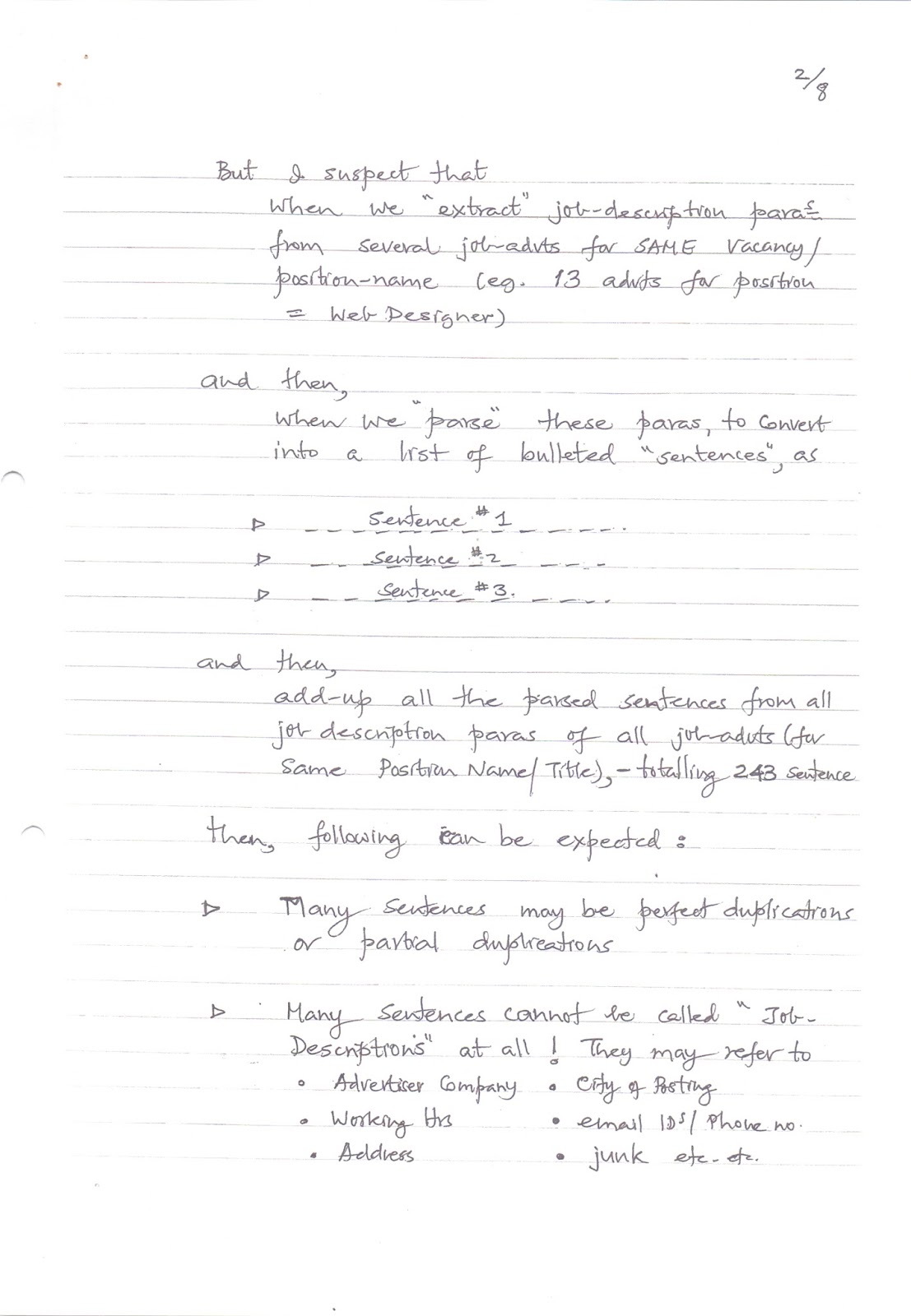
But I suspect that when we
"extract" job-description paras from several job-advts for SAME
vacancy/position-name (eg. 13 advts for position = Web Designer)
and then, when we
"parse" these paras, to convert into a list of bulleted
"sentences", as
- Sentence #1
- Sentence #2
- Sentence #3
and then, add-up all the parsed
sentences from all job description paras of all job-advts (for same Position
Name/Title), — totalling 243 sentences.
Then, following can be expected:
- Many sentences may be perfect duplications or
partial duplications.
- Many sentences cannot be called
"Job-Descriptions" at all! They may refer to:
- Advertiser Company
- City of Posting
- Working Hrs
- email IDs / Phone no.
- Address
- junk etc. etc.
Obviously, if we permit such
"garbage" go unchecked / unfiltered / un-edited, then it would make a
very poor impression on the HR mgrs who like the idea and want to use this
tool.
If the very first impression is
bad, they are not going to comeback. Worse, they may spread "bad
words" about this feature! That would spoil our reputation!
So, we must remove such garbage
from all the parsed/accumulated sentences, BEFORE loading these into the
database. Something like what I am doing for the last 15 days in VERIFIER tool
(I have only reached upto alphabet D!). This is a painfully slow &
agonizing / tiring process!
So, whereas we do need a GARBAGE
REMOVAL TOOL on which, one/two persons may work to look-up each & every
parsed sentence and then remove/delete the "Garbage Sentences", such
a tool has to be a "self-learning" tool.
It must "learn" from
the human expert working on it. It must "observe" what human-expert
is doing.
That is, the tool must
"store" into its (separate?) database, every sentence that the human
expert is deleting (i.e. treating as garbage).
The tool may have to
"store" into its memory, say 10,000, so-called "garbage"
sentences.
Let us say, altogether, these
10,000 sentences contain 100,000 words. The s/w will calculate the
"frequency of usage" of these 100,000 words and arrange these words,
in the descending order of usage. So, you may get, no more than 2000 unique words.
Of these, perhaps, the top 200
would make-up for 90% of all occurrences! (A/B/C analysis).
So, now we have a list of 200
culprit words!
CONCLUSION?
if any of these (200)
words, is appearing in any sentence
then that sentence must be
a "garbage" sentence!
This is how BAYESIAN SPAM FILTER
learns — and continuously improves, as it goes on "rejecting" more
& more sentences, which contain any of the "garbage word".
And as each "newly
discovered" garbage-sentence is added up (to the 10,000 with which we —
i.e. human expert — started), — and further broken-up into words, and further
"calculate" fresh "frequency of occurrence", you have got a
SELF-LEARNING SOFTWARE!
No rocket-science here. Simple
common-sense based "predictions" by observing "trends".
Now that the SELF-LEARNING S/W
has learned (—and keeps learning), it would, on its own, eliminate/remove from
lakhs & lakhs of Parsed sentences, all those sentences, which it concludes
are "Garbage sentences" based on what is "observes" (i.e.
checks out for the garbage words).
Maybe, there is no need to
develop such a FILTERING TOOL!
From internet, just download (for
free), one (or more) of the three "BAYESIAN SPAM FILTERS" (names
given by Reena to Rahul).
- spambully.com
- death2spam.net
- spambayes.sourceforge.net
- http://all-free-info.com/anti-spam-softwares/
- www.comodoantispam.com
Maybe all 3, to tryout our
experiment on all 3, to see which one is better).
NOW each of these spam filters
will treat each "Job Description" paragraph as an "E-mail
Document" (which it is) and dump the "SPAM JOB DESCRIPTIONS"
into a separate folder! And it will keep learning.
All that we need to do, is to
supply the spam-filter with a list of "Garbage Words" to begin with.
Nothing to do thereafter. It will learn on its own!
Only Problem with this approach
is:—
- We do not want the filter to reject an entire
job-description para (of say 10 sentences)
but,
- We want it to reject only 2 garbage sentences — out
of the total 10 sentences.
I suppose this problem can be
solved as follows:
- To a spam filter, do not submit an
"entire" job-description para as INPUT DOCUMENT.
Instead
- Submit each "sentence" as an Input
document (to be accepted or rejected).
Perhaps, this (Bayesian Spam
Filter) approach will also make human-expert's job easy.
Now, having been presented with
10,000 parsed sentences (in a tool),
- all he needs to do is to look at each sentence,
- spot, what he considers, a "garbage" word
in that sentence (— one or more words, that make the sentence, a
"garbage sentence").
- highlight those words & SAVE
Hopefully, by the time he has
gone thru 10,000 sentences, he would have spotted & highlighted ALL
possible "garbage words".
Now your SPAM FILTER is all
set/ready to process all email documents presented to it (Viz: One million
sentences) and sort into BAD vs. GOOD!
[Signature]
Rajeev cc: Rahul -> Saurabh
-> Pranav -> Vikram 15/04/06
Compose a Job Description —
III
This has ref. to our discussion
today. As discussed, — everytime a HR mgr. selects a sentence from the DISPLAY
BOX and clicks TRANSFER we must store that sentence in a folder with
Folder Name = Position/Vacancy Name
So, there will, eventually be, as
many folders as there are UNIQUE positions. In any given (one) folder, dozens
of HR mgrs may "click & deposit" thousands of
"sentences", many of which, selected/clicked/transferred again &
again & again (the POPULAR sentences).
The POPULARITY of a sentence,
will be determined by its "frequency of selection". Now, everytime,
our s/w will display the "most popular" sentence at the top in the
DISPLAY BOX (in descending order of usage). Next to each sentence, we may even
display the NUMBER (of usage) in a BOX! eg:
- Candidate should be well-versed in JAVA [568]
- Candidate should have exposure to .Net [496]
[Signature]
Rahul cc: Saurabh -> Pranav
-> Vikram -> Rajeev 01/05/06
KarmaScope
This has ref. to my telecon
yesterday with Rahul / Saurabh, re: "How to make Knowledge Profile
compelling?"
Whereas DNA spiral type animation
may look real "intriguing", it has following limitations:
- It will take a longtime to develop (— whereas we
are running against time)
- It may pose display-problem, when a jobseeker wants
to either download or email his ImageBuilder — which, I expect, will be
very common. Even, there could be problems with Resume Blast / Resume
Courier.
So, what we need (in the
ImageBuilder) is a STATIC frame, which we can develop quickly and which does
not pose problems described above.
I enclose my proposal KarmaScope
— cast in the fashion of a horoscope.
(You may find a better
illustration in Google "horoscope" (Images) — 226,000 results).
Maybe one at www.liveindia.com
could be useful. (—the colourful Kundli with its mystical symbols).
To begin with space/area inside
the diamond will be blank, but the 4 corners will get filled with the keywords
extracted by GuruMine + keywords added by jobseeker in the "keyword
box" in his "submit resume" form.
Each Keyword will be a hyperlink
— clicking on any, will:
- insert that keyword in the Google sets
- click "submit"
- return resulting WORDS and display the same <u>inside</u>
the diamond.
<u>Question</u>
All the words found in...
Google Sets are themselves "hyperlinks".
When our s/w fetches these words
and display inside our diamond, will they continue to remain hyperlinks?
If they do, then a HR mgr or even
the concerned jobseeker, may be tempted to click on some and immediately
discover that, all our razzle-dazzle magic is due to Google!
So, it is very important to
remove these hyperlinks while displaying these words inside the diamond.
But each & every keyword OUTSIDE
the diamond, will be a hyperlink.
All this clicking / fetching /
displaying will be possible, only when the concerned jobseeker or the HR
manager, is
- Online
- On our website (or any partner website)
This feature won't work offline.
And for each & every click on
any keyword, we will charge HR mgr, ONE CREDIT POINT (currently = Re. 1/=).
By keeping the tariff so low, I
want to encourage HR mgrs to keep clicking! Many HR mgrs like to impress the
candidate (and even more, to impress their other interview-panel colleagues!)
with their display of subject-knowledge by asking all sorts of questions—relevant
or irrelevant!—even when they don't know the right answer themselves!
KarmaScope will satisfy this
"Self-Ego Boosting" need of HR managers!
And then there are thousands of
HR managers, who sit-in on interviews, without any real
"subject-knowledge". They are merely "generalists" without
domain knowledge.
They can judge a candidate's:
- Personality
- Expression
- Attitude etc. etc.
but they cannot ask him any
technical questions related to a candidate's expertise.
Sometimes interviewers are
"owners" or managers from other disciplines. They will find this
feature very useful. They are in no position to hire
"subject-experts".
Now, for the first time,
ImageBuilder, thru its KarmaScope feature, give them a cheap—but—very powerful
tool. They would simply "love" it!
I have repeatedly said,
"We need to activate 40,000
HR mgrs/owners/placement agencies, to bring pressure on jobseekers to change
over to ImageBuilder. If they get "SOLD" on the ImageBuilder, then,
in turn, they will start refusing to entertain plain text resumes. They will do
the "selling" for us."
KarmaScope is such an Interview
Tool that no jobsite offers—our USP.
clicking on a keyword &
fetching Google-set words, would, I suppose, work like "Harvester".
Vikram said this was possible.
You may even get away by
modifying the source-code of HARVESTER!
But, if this is going to take
some (long) time, I suggest we Introduce/implement KarmaScope in 2 stages, viz:
STAGE 1
Simply display keywords—outside
the diamond—without hyperlinks. This should be done, along with the launch.
STAGE 2
Develop "WORDFETCHER"
software and activate hyperlinks.
From Rajeev's ImageBuilder, I
tested all 57 keywords in GoogleSets and got reasonably relevant results
(WORDS) in all but 8 cases.
Please give me a timeframe.
[Signature]
01/05/06
(Rajeev's Keywords)
This page contains a list of 57
technical keywords used for testing.
|
Status |
Keyword |
Status |
Keyword |
|
✓ |
Billing |
✓ |
XML |
|
✓ |
Coding |
✓ |
Visual Basic |
|
✓ |
Creating |
✓ |
.Net Architecture |
|
✓ |
Data Warehousing |
✓ |
ASP |
|
Tracking |
✓ |
ASP.Net |
|
|
✓ |
Automated Backup |
✓ |
C++ |
|
✓ |
Quotation |
? |
Component |
|
✓ |
Modules |
✓ |
Core |
|
X |
Package |
✓ |
CRM |
|
✓ |
Payment |
? |
Data Entry |
|
✓ |
Payroll |
✓ |
Database |
|
✓ |
Programmer |
✓ |
Delivery |
|
X |
QS |
✓ |
Deployment |
|
~~Quotation~~ |
✓ |
Evaluate |
|
|
✓ |
Recruitment |
✓ |
Feedback |
|
✓ |
Reports |
? |
Follow-up |
|
✓ |
Requisition |
✓ |
Forms |
|
✓ |
Service |
✓ |
Fox-Pro |
|
✓ |
Shell |
✓ |
FTP |
|
X |
Software Package |
✓ |
IIS |
|
✓ |
Specifications |
✓ |
Information System |
|
✓ |
SQL Server |
✓ |
Integration |
|
✓ |
Diploma in Computer |
? |
Interact |
|
✓ |
Supply Chain |
✓ |
ISO 14000 |
|
✓ |
Triggers |
✓ |
ISO 9000 |
|
✓ |
VB |
✓ |
QS 9000 |
|
✓ |
VB.Net |
✓ |
SMTP |
|
✓ |
TQM |
||
|
? |
Transactions |
||
|
✓ |
Travel |
(My KarmaScope)
This image represents a central
dashboard or interface design titled "My KarmaScope."
Main Header
Any Questions? ASK (Attributes
– Skills – Knowledge) — Click any Keyword
Layout Description
The page is divided by a large
central diamond shape labeled with "Knowledge Horizon" on all
four slanted edges.
- The 4 Corners:
- Text Note: "In these 4 corners, we
will display keywords extracted by Gurumine (+ entered by Jobseeker) —
each with a hyperlink to Google Sets."
- The corners contain horizontal placeholders for
various keywords.
- The Central Diamond:
- Text Note: "Inside this diamond, we
will display words picked up from Google Sets when any Keyword (outside
diamond) is clicked."
- Contains several horizontal bars representing
dynamically generated word results.
(Tenure Profile &
Analysis)
This page focuses on the data
backend or specific metrics for a "Senior" level employee profile.
Table 1: Tenure Profile
|
Level |
Range |
Fats (or Ints) |
% |
|
Senior |
35 |
[Blank] |
[Blank] |
|
Result |
[Blank] |
[Blank] |
[Blank] |
Analysis Calculations
There is a mathematical breakdown
shown on the right side:
- Ratio: 29 / 1000
- Total Arrow: Points to the number 1000.
Data Mapping (Arrows)
The sketch uses arrows to map
specific data points to categories:
- Equal: Linked to a specific row/data point.
- Behind: Linked to the value 35.
- Ahead: Linked to the value 50.
- Total No: Linked to the bottom of the column
grid.
(Tenure Table Template)
This is a simplified template for
displaying the tenure data.
Header: TENURE
|
Range |
Total |
Tenure Perc (%) |
|
[Empty Grid] |
[Empty Grid] |
[Empty Grid] |
Header: Rahul \ Saurabh \
Pranav (3/2)
Examine the words used to
describe this technology:
(Includes a news clipping titled
"Internet abridged to fit in laptop" about Webroo/Google/Yahoo dated
11-04-06)
- Snapshot
- Subset
- Vast storehouse
- Optimized
- Content Density
- Captured & Compressed info
- Sample
- millions of answers
- Google / Yahoo
All of the above, apply to a
specific "Search Query" (as in Google/Yahoo) and the "Search
Results."
Our function-profile graphs
too, are such a "snapshot" / a photograph:
- Function: Sales
- Total Population: 18293
- Sub-population: 265
(Graph follows showing a bell
curve with a highlighted sub-population between the 70th and 90th percentile).
Header: 2/2
Data/info about 18293 executives
is "squeezed / condensed" into a small graph! Hence, graph has a very
high CONTENT DENSITY.
And someday, one of our RESUME
SEARCH methods, will involve:
- Displaying the graph, based on a HR mgr's
"search parameters."
- Enabling a HR mgr to place his cursor on 70%
percentile—then dragging to 90% percentile (thereby highlighting graph
area in between) & clicking.
- This will result in a SHORT DISPLAY TABULATION,
containing one-line summary of only those executives, whose percentile
score lies between 70% & 90%—in descending order too! Even before
clicking, the "highlighting" action has told him that he can
expect to see results for 265 executives, meeting his criteria. Any area
shaded on graph will tell him (in advance), the no. of executives covered
in that range!
Signature: [Initialed]
12/04/06.
Header: Rahul | ADMIN TOOL |
12/04/06
Title: Jobseeker’s Dashboard
In this dashboard, one of the
links should be Function Profile History.
After log-in, clicking on this
link will reveal a tabulated history as follows:
Select [ Year | v ]
Your Functional Profile as on
last day of Month (For Primary Profile Only)
|
Month |
Raw Score |
Population of Executives
belonging to same FUNCTION |
Percentile Score |
|
Jan |
|||
|
Feb |
These values, as of last date of
each month to be stored & displayed. Of course, Raw Score No. will change
only if-and-when, that jobseeker edits his resume. But percentile-score will
keep changing all the time as more & more jobseekers (belonging to same
PRIMARY FUNCTION) submit their resumes. Someday later, we will enable the
jobseeker to see a graph as follows:
(Graph showing Percentile
Score (0-100) on the Y-axis and Months (Jan, Feb, March, April) on the X-axis
for the year 2006).
Header: Rahul \ Saurabh \ Pranav
(1/6)
Title: RELEVANT SEARCH | 12/04/06
See this news item:
(Includes a news clipping
"Google gets advanced search code" regarding an algorithm by Ori Alon
called Orion, dated 11-04-06)
What can we learn from this?
eg: Jobsearch is also searching
for information—info specific to job-advts.
So this concept could be applied
to "Job-search" as well—and to "Resume search" also.
Q: "the text will only
appear..... if ....."
- (What) "texts" are supposed to
appear, when conducting a Job Search?
- Obviously, the "Job Advts" texts.
- (Which) "texts" should appear?
- Again, obviously, if those "texts" (i.e.
Job-Advts), contain "Keywords" relevant to the Search Query.
Header: 2/6
Hence, in jobsearch box, we have
already provided a box for candidate to type-in "Keywords".
This Jobsearch U/I looks like:
(Drawing of a UI box)
- Job Search
- Keywords: [______________________]
- Tip: Ideal job-advt. should contain these
keywords
- Min Exp. asked for: [___] yrs.
- Industry: [_________ v]
- Function: [_________ v]
- Desi. Level: [_________ v]
- Job Location: [_________ v]
- [SUBMIT]
We expect that the jobseeker will
imagine / visualize in his mind, an ideal job-advt (from his viewpoint) and
closing his eyes, mentally SCAN that advt and highlight those Keywords (again
in his imagination). He will memorize these keywords. Then he will open his
eyes and feverishly start typing those keywords before his memory evaporates!
All these, so that our s/w can
"match" these keywords in the texts of job-advts.
Header: 3/6
This is too much to expect from a
jobseeker! We must make his life SIMPLE.
And, surprisingly, it is very
easy for us (—but almost impossible to replicate / duplicate / copy by
Monster/Naukri etc.! another USP for us).
All we need to do is:
#1 Rearrange
"Job-Search" U/I as follows:
(Drawing of a revised UI box)
- Jobsearch
- Please show me job-advts which match following:
- Function: [_________ v]
- Industry: [_________ v]
- Desi. Level: [_________ v]
- Job Location: [_________ v]
- Min Exp. asked for: [___] yrs.
- Keywords: [ (Large Text Box) ]
- Note: Delete from this box, those keywords
which are not "relevant" from your viewpoint. Feel free to add
any, which you consider "relevant" but which we have missed out.
- [SUBMIT]
Rahul | 11-04-06
Capturing Jobseekers’
Knowledge (-to make GuruMine a self-learning software)
We discussed this today.
In IndiaRecruiter, a jobseeker
has to identify 3 industries & 3 functions, where he claims to have strong
background. But, Which of these 3 (industries & functions) are,
- most “relevant”? (where he feels superbly
confident to succeed)
- quite “relevant”? (where he still feels
quite comfortable)
- somewhat “relevant”? (where he can “get into
the groove” with some brushing-up).
Our existing “Submit Resume” form
does not bring-out these subtle differences/nuances between those 3 industries
/ 3 functions.
But, we have a STRONG need
to capture these.
To do this, let us modify “Submit
Resume” form as follows:
[UI Mockup Table]
- What is your background in terms of:
Industry | Functions | Keywords
- (Three dropdown/input boxes are shown below
these headers)
It is quite unlikely that you
feel equally comfortable with your choices of Industries & Functions. Which
do you consider:
- Most relevant (Where you feel superbly
confident to succeed) ---- Rank [ 1 ]
- Quite relevant (Where you still feel quite
comfortable) ---- Rank [ 2 ]
- Somewhat relevant (Where you can “get back
into the groove” with some brushing-up) ---- Rank [ 3 ]
In the box below, please “Rank”
your choices (to help us recommend to you the ideal jobs).
My Ranking is as follows (Table
showing Industry and Function selections with corresponding Rank boxes 1, 2,
and 3)
Cut & Paste your text
resume in the box below [_________________________________________]
Once we capture the ranking, we
will store these in our database against the name of the concerned candidate.
That will enable us to create “sub-populations”
of candidates
- Industry-wise
- Function-wise
Next Step For all
candidates belonging to industry ABC, add-up all the keywords contained in
their “Knowledge Profile” Boxes.
Then calculate
- “Frequency of Occurrence” of each of those
keywords (probability of occurrence).
Since each candidate has
identified himself as belonging to:
- Industry = ABC
- Function = XYZ
and, he has himself used/selected
certain “Keywords” in his resume (in Knowledge Profile box), we can safely
“assume” that these keywords belong to those Industry/Functions!
So, now, instead of one or two
“Experts” deciding “Which keywords signify/denote which Industry? / Function?”,
we get thousands of real experts (i.e., the candidates themselves) to certify
this relationship (between “keywords” on one hand, and “Ind/Func” on other).
This is exactly the future path
of YAHOO’s search engine, viz: evolve a “Social Consensus” thru a large
no. of USERS voting/ranking/rating on items’ importance/relevance to the
“Search Query”. (Like AUDIENCE POLL in KBC!)
More & more search-engines
are adopting this technique to arrange/display search—
results, in the descending order
of the “Rank/Score” awarded by previous visitors.
This method (of creating smaller
sub-populations) will also dramatically reduce server's / software's burden of
computing “Frequency of Usage”. This is because total candidate population (of
say, a million resume), will now (possibly) get broken up into 30,000 resume
sub-populations (30 of them)!
Within each sub-population's
“keywords”, quite likely, the top 50 (arranged in descending order of
frequency-of-usage), will add-upto 90% of the sum-total of probability (i.e.
add upto 0.9 probability). Subsequently, for plotting percentile-graphs, we need
to use only these top 50 (or 60 or 40) keywords for matching/finding from next
arriving resume, to give Raw Score.
Fresh computing of “Frequency of
Usage” taking ALL keywords in any given “sub-population” (of Industry or
Function), may be done once-a-week (over the weekend?).
[Signature] | 11/04/06
(Alternative Sequence)
#2 Auto fill-up “Keyword” box
The moment a jobseeker selects
any (one) “Function” from the “function” drop list, our S/W will pick up (some
20/30) keywords which our FUNCTION PROFILE GRAPH uses (to draw the graph).
These will be the TOP 20/30
keywords—in terms of their frequency of occurrence, those having highest
weightage—in the descending order of weightage.
Besides truly “amazing” the
jobseeker with this magical appearance of keywords, now, we have made his life
SIMPLE! NO excruciating “mental exercise” for him to “conjure-up” a set of
Keywords. He is already presented with a SET of keywords, which, we know, are
truly relevant! Given a set, it is easy for him to “edit”. Now, it is also easy
for him to see “what words are missing?—conspicuous by their absence?”.
And, whatever new/fresh words
that he adds to the SET, are very valuable to us. We will store these in a
separate database, called,
“Jobseeker Suggested
Keywords”. We will store these against each “function”.
Then, we can think of modifying
our job-search U/I as follows:
[Job Search UI Mockup]
- Function: [________]
- Ind: [________]
- Desig level: [________]
- Job loc: [________]
- Min Exp: [________]
- Keywords (Suggested by us): [ Box ]
- Keywords (Suggested by previous users): [
Box ]
- Delete from this box: [ -------- ]
- [ Submit ]
Also, whatever “new/additional”
keywords that jobseekers suggest/add in the box, we will keep adding-up their
“frequency with which being suggested”.
Then modify our keyword profile
as follows: OLD (Starting database)
- (Table showing ranks 1-20. Rank 19: Mktg (0.03),
Rank 20: Sales (0.02))
NEW keyword | Weight
- (Arrow pointing from Sales weight 0.02 to a new
entry: After Sales Service (0.025))
The moment the weightage of any NEW
keyword exceeds the weightage of the bottom-most OLD keyword, then that
new keyword will push-out/replace the old one.
So, now our s/w has become
self-learning and based on “Social Consensus” / Audience Poll! We can do
same with “Resume Search” U/I also.
[Signature]




No comments:
Post a Comment